Manage machines
Connections
Choose which machines can connect to which, one machine or group at a time.
Connections decides which machines can connect to which. Your own machines can all reach each other at first, so most people never change it. Permissions and rules then decide what a connection may do.
#What connects at first
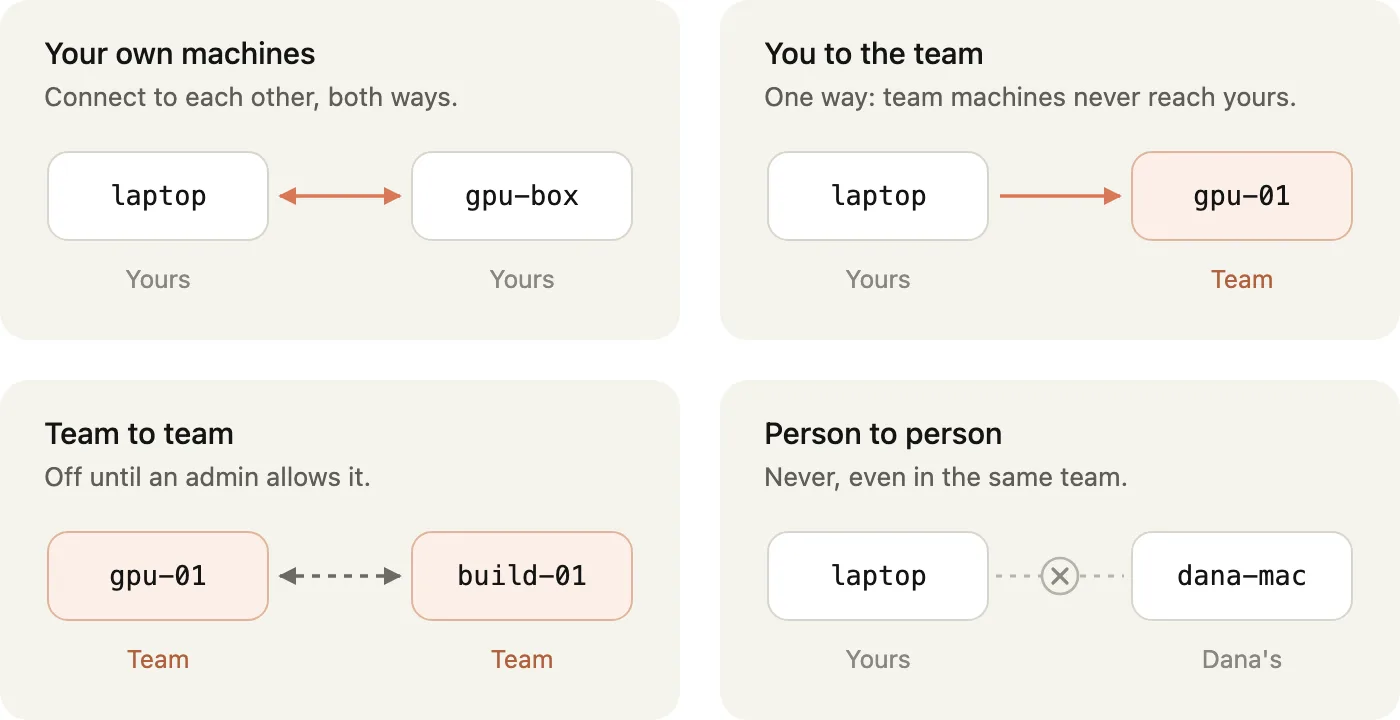
| Machine | Can connect to | Can be reached from |
|---|---|---|
| Yours | All machines: your other machines, and the team machines you can use | All machines: your other machines |
| A team's | No machine | Teammates: the machines of the people who can use it, once approved when the team approves new machines |
You can change any of this below. Only two things never change: a team's machine never connects to a person's own machine, and one person's machines never connect to another person's.
#The Connections page
Open Machines → Connections. Each machine has a row with two choices:
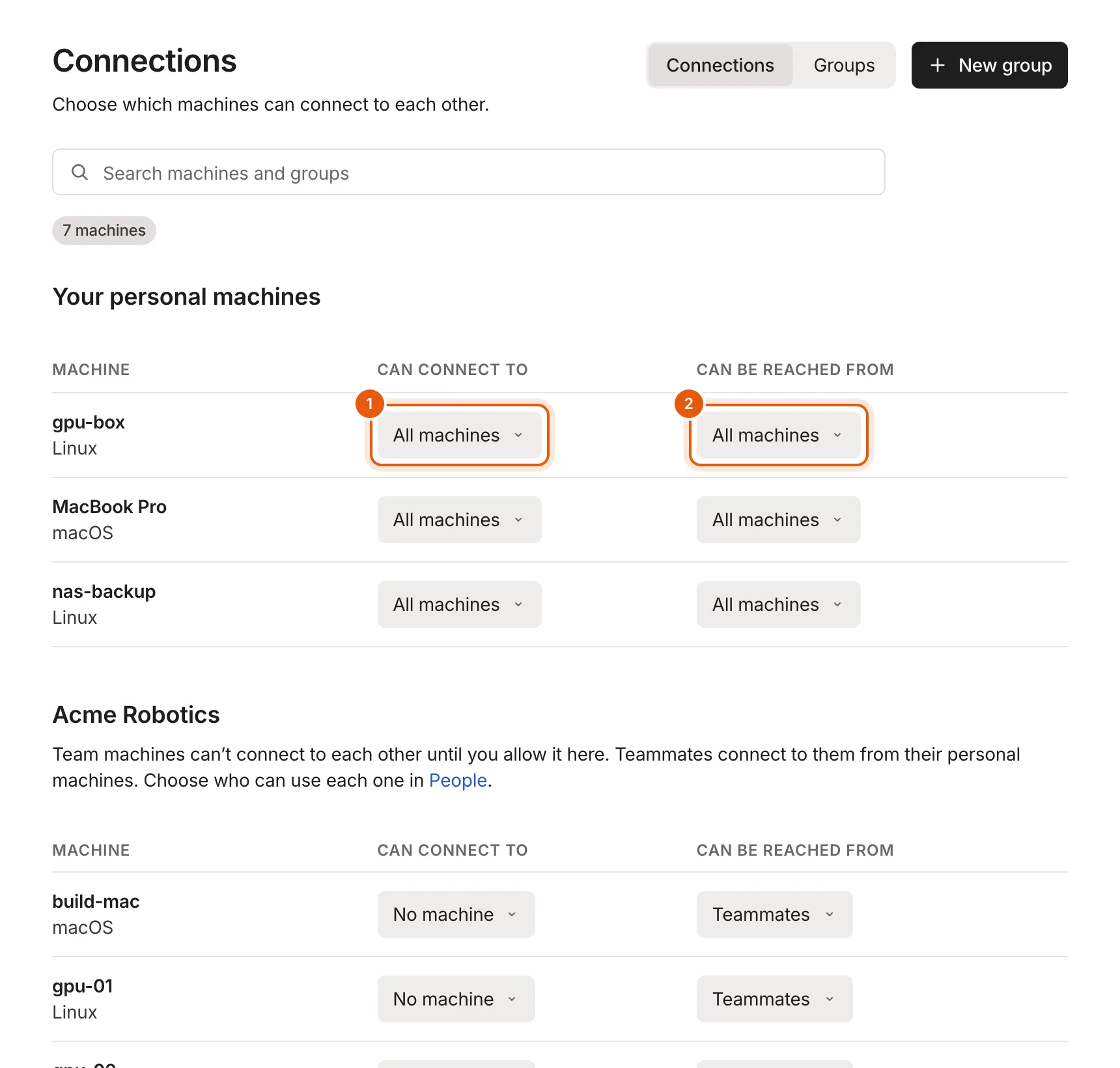
- Can connect to: the machines this one may open connections to.
- Can be reached from: the machines that may connect to this one.
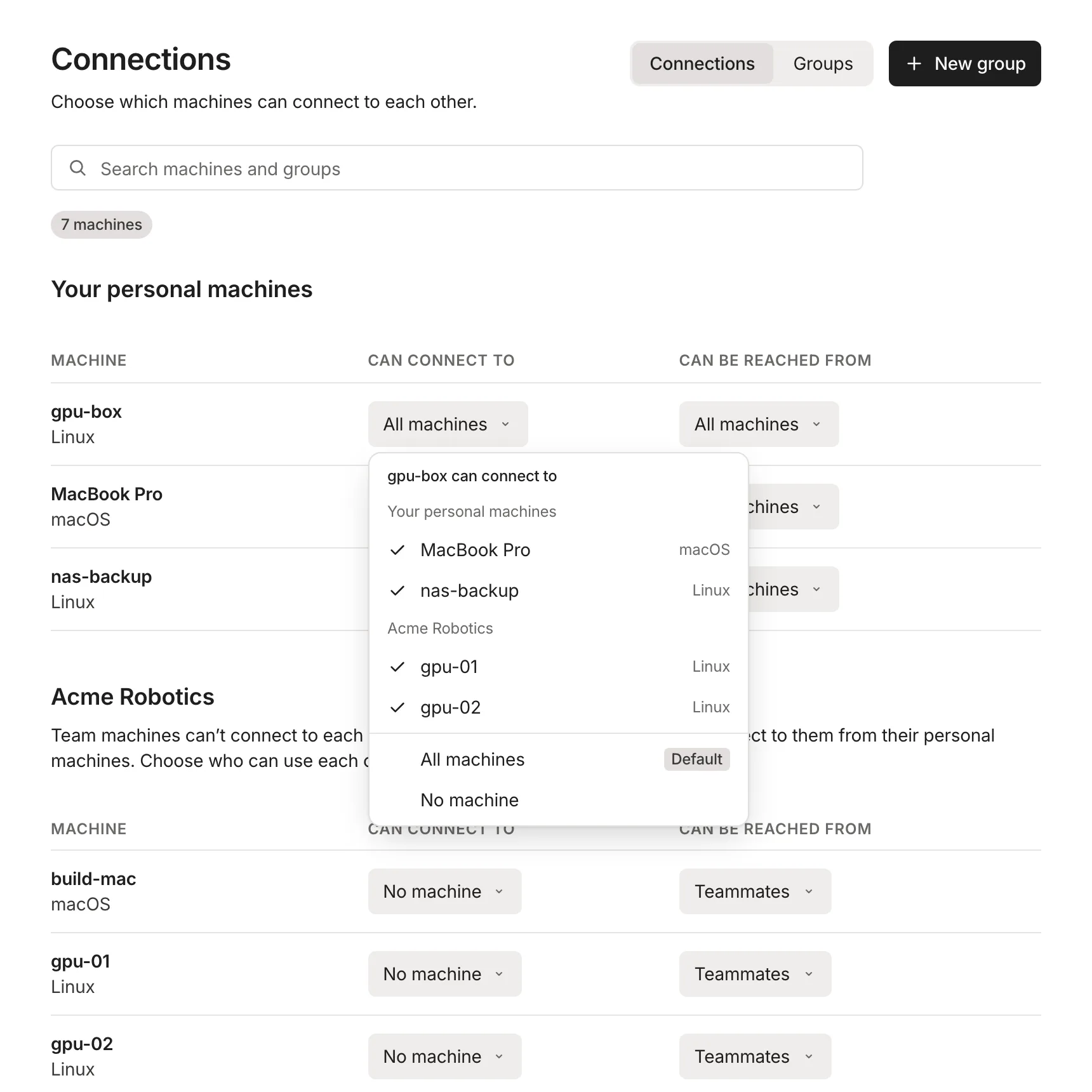
Each is All machines, No machine, or the machines you tick:
#When one machine can connect to another
A connection goes one way. Machine A can connect to machine B when:
- A ticks B under Can connect to, or B ticks A under Can be reached from; or
- A can connect to All machines and B can be reached from All machines.
For a team's machine, you must also be allowed to use it: see Teams. When the team approves new machines, your machine must also be approved: see Approve new machines.
#Groups
A group is one row for many machines: what you choose for it applies to every machine in it. Put machines that should connect the same way, such as all build servers, in one group. Select New group, name it, choose whose machines it holds, and tick them.
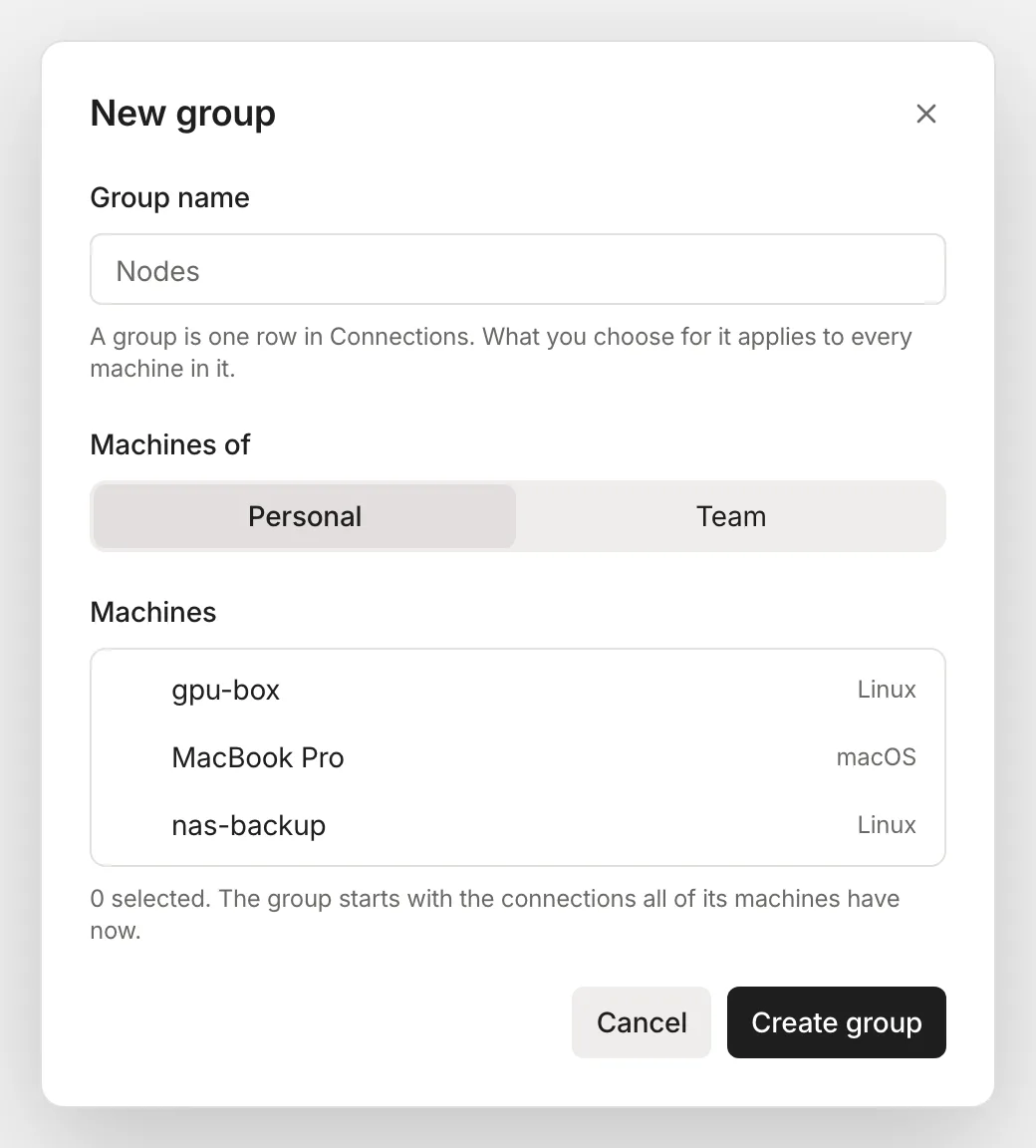
A new group starts with the connections all of its machines have now. A machine leaving a group keeps the group's connections as its own.
#In a team
Admins choose which of the team's machines connect to each other. Each person chooses which team machines their own machines connect to. Who may use a team machine at all is set on its page: see Teams.