Manage machines
Permissions
Choose what agents may do on each machine, Read only, Workspace or Full access, and how the machine enforces it.
Every machine has one permission. It decides what each session on that machine may do, whoever starts it.
#The three levels
| Level | In short | Agents can |
|---|---|---|
| Read only | Read files | Read anything the machine's user can read. Change nothing. |
| Workspace | Write in folders | Read as Read only, and change files only inside the folders you list. |
| Full access | No limits | Do everything the machine's user can do. |
Start with Read only, and raise it when a task needs more.
#Set a Linux machine's permission
Open the machine's page in the Console and choose a level under Permission. In a team, only admins can.
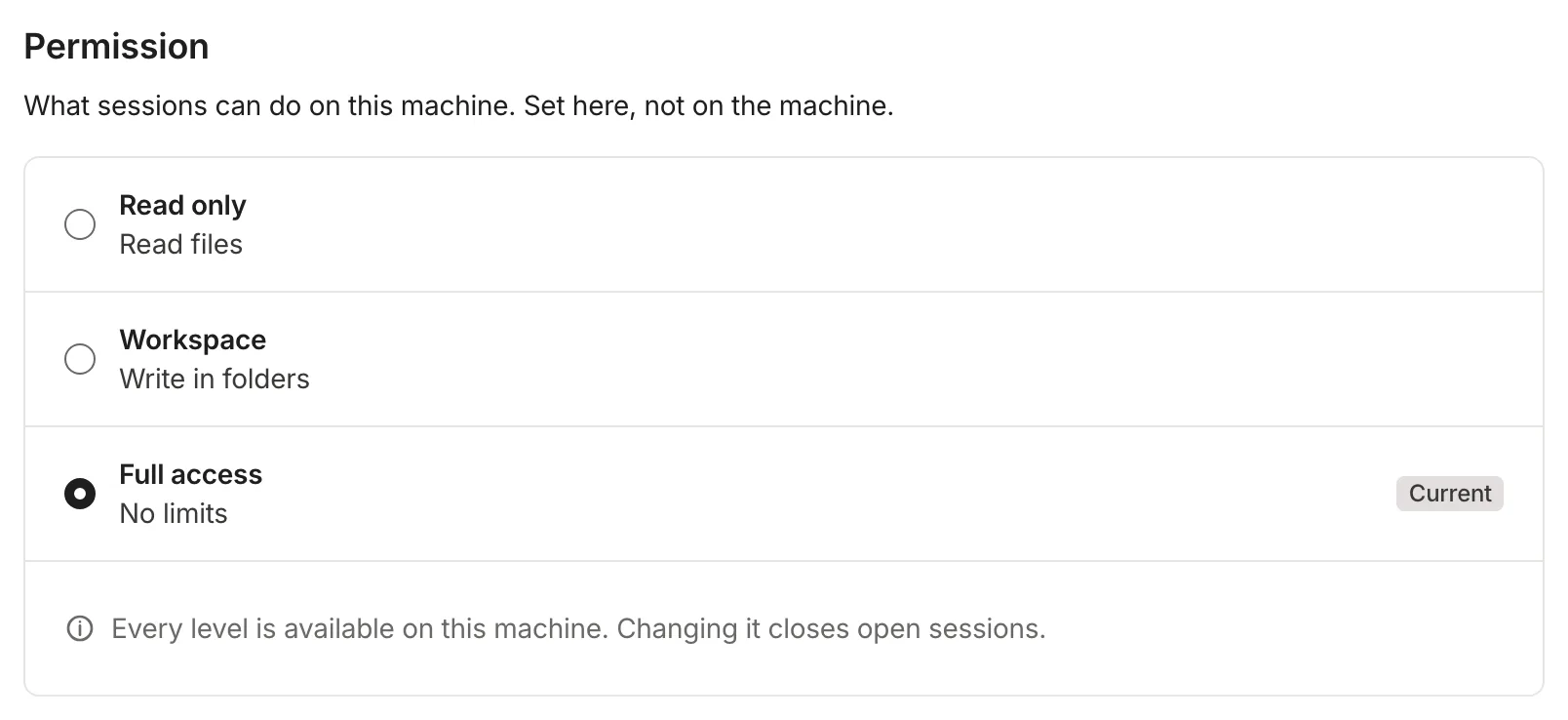
Changing the level or the Workspace folders closes the machine's open sessions, as a lost connection would: a terminal is hung up, and programs left running in the background keep running. The next session runs under the new level.
#Set a Mac's permission
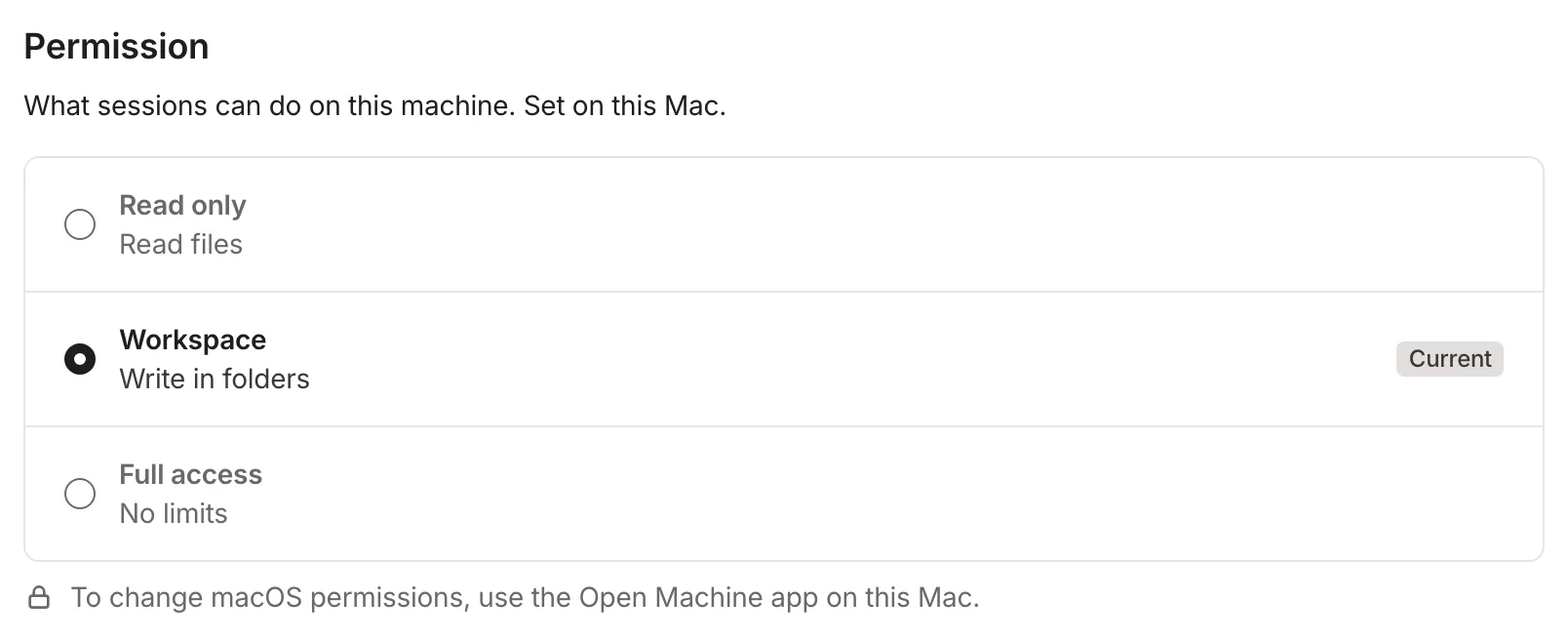
A Mac sets its own permission, in the Open Machine app on that Mac. Its page in the Console shows the level but cannot change it.
#Workspace folders
A Workspace lists 1 to 32 folders, as absolute paths. Sessions can change files only inside them, and start in the first one, the Start folder.
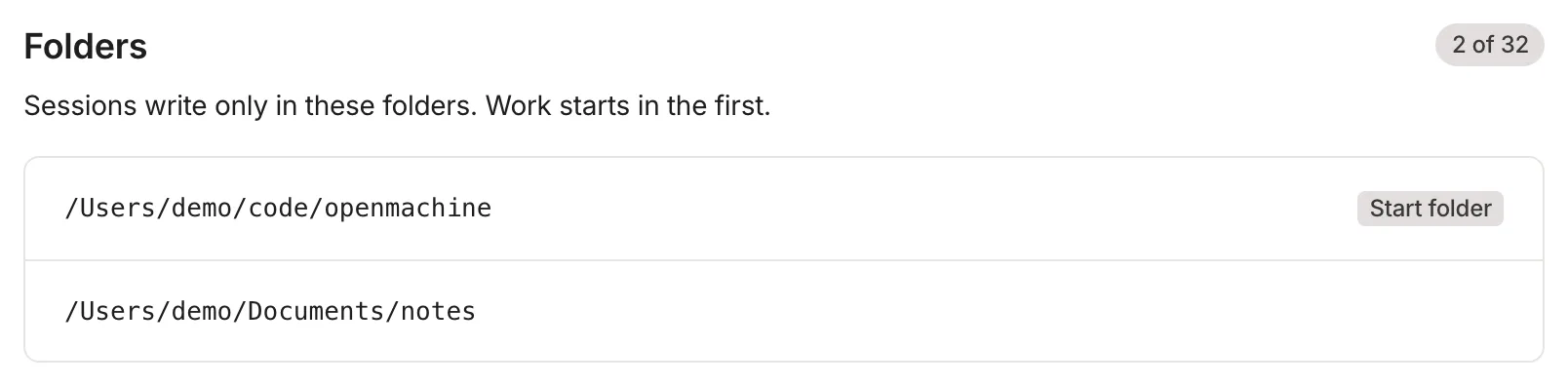
On a Linux machine, add and remove folders on its page, and Make start chooses the start folder. The machine itself checks each folder, and its page shows any it refused, with the reason.
#Git at each level
| Level | Git |
|---|---|
| Read only, Workspace | Fetch, clone and read. |
| Full access | Also push branches and open pull requests. See GitHub. |
#How the machine enforces it
Read only and Workspace sessions run in a sandbox: macOS Seatbelt on a Mac, bubblewrap on Linux.
If a machine cannot enforce a level, its page says so, and the machine accepts no connections at that level until you choose another.
On a Linux machine's page, the permission also shows whether the machine has applied it:
| State | Meaning |
|---|---|
| Applied | The machine runs under this permission now. |
| Preparing | The machine has not confirmed it yet. |
| Offline | The machine is offline. It applies the permission when it comes back. |
| Invalid | The machine refused a Workspace folder. |
#Where a level comes from
- A new Linux machine starts with the level you chose when you added it, or the one its key carries.
- A machine moved between accounts starts at Read only.
- Moving away from Workspace removes its folder list.
#In a team
An admin can give a person Read only on a machine, whatever the machine's own level. That person's sessions there are always Read only. See Teams.
#Limits
Permission and rules are enforced by the machine itself. Whoever controls the machine, including a Full access session, can change what it enforces.