Manage machines
Rules
Block risky commands, allow only chosen ones, and protect files, at every permission level.
Rules stop agents doing what you never want done, such as erasing a disk or reading your SSH keys, whatever the machine's permission. Every account starts with a set of built-in rules. Find them in the Console under Machines → Rules.
#The Rules page
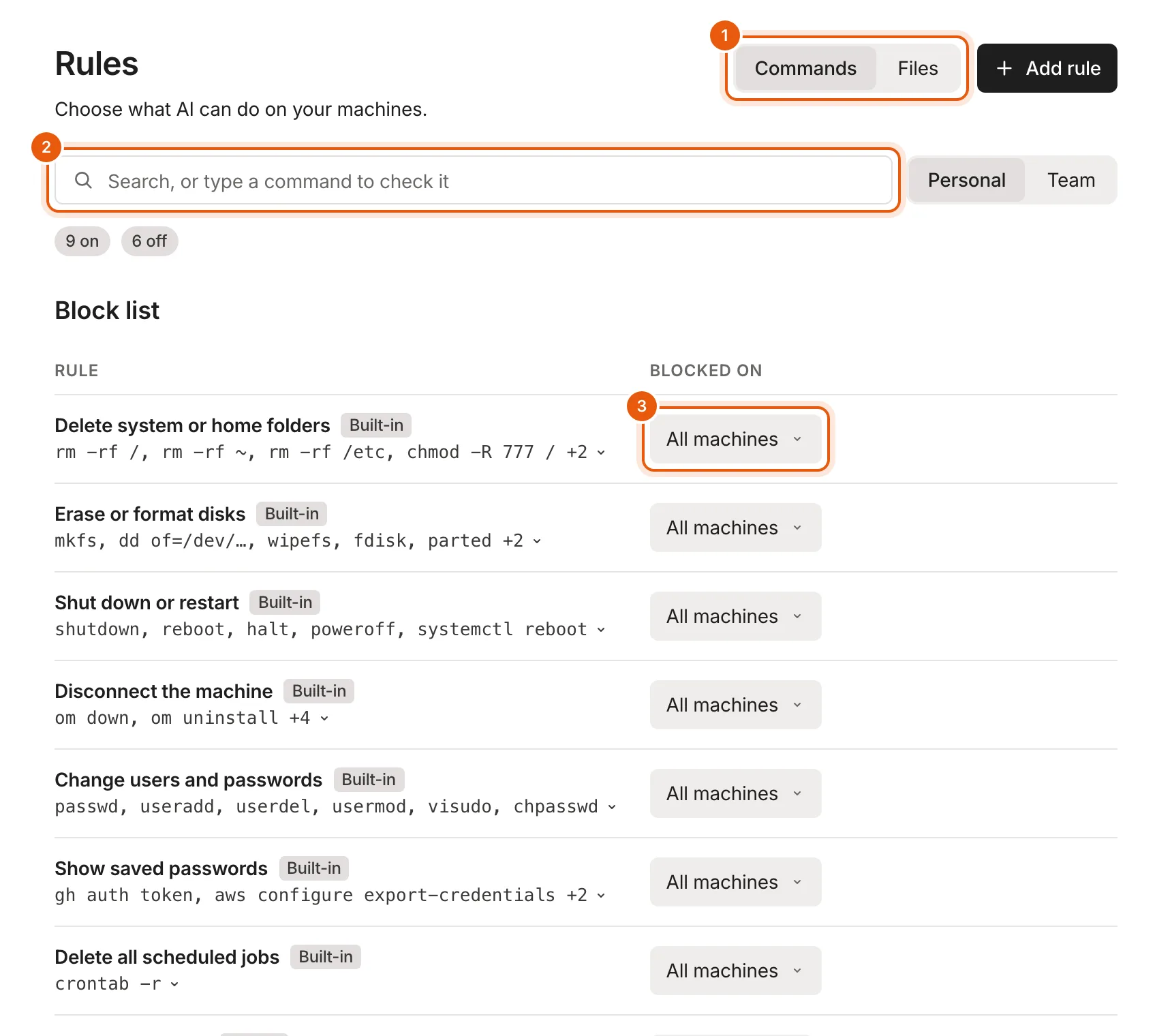
- Commands blocks or allows commands. Files protects files.
- Search finds a rule. Type a whole command or path to see whether a rule stops it.
- Blocked on turns a rule on for All machines, for the machines and groups you choose, or Off. A rule set to All machines also covers machines you add later.
In a team, Personal and Team switch between your own machines' rules and the team's. Only admins change the team's.
#Check a command
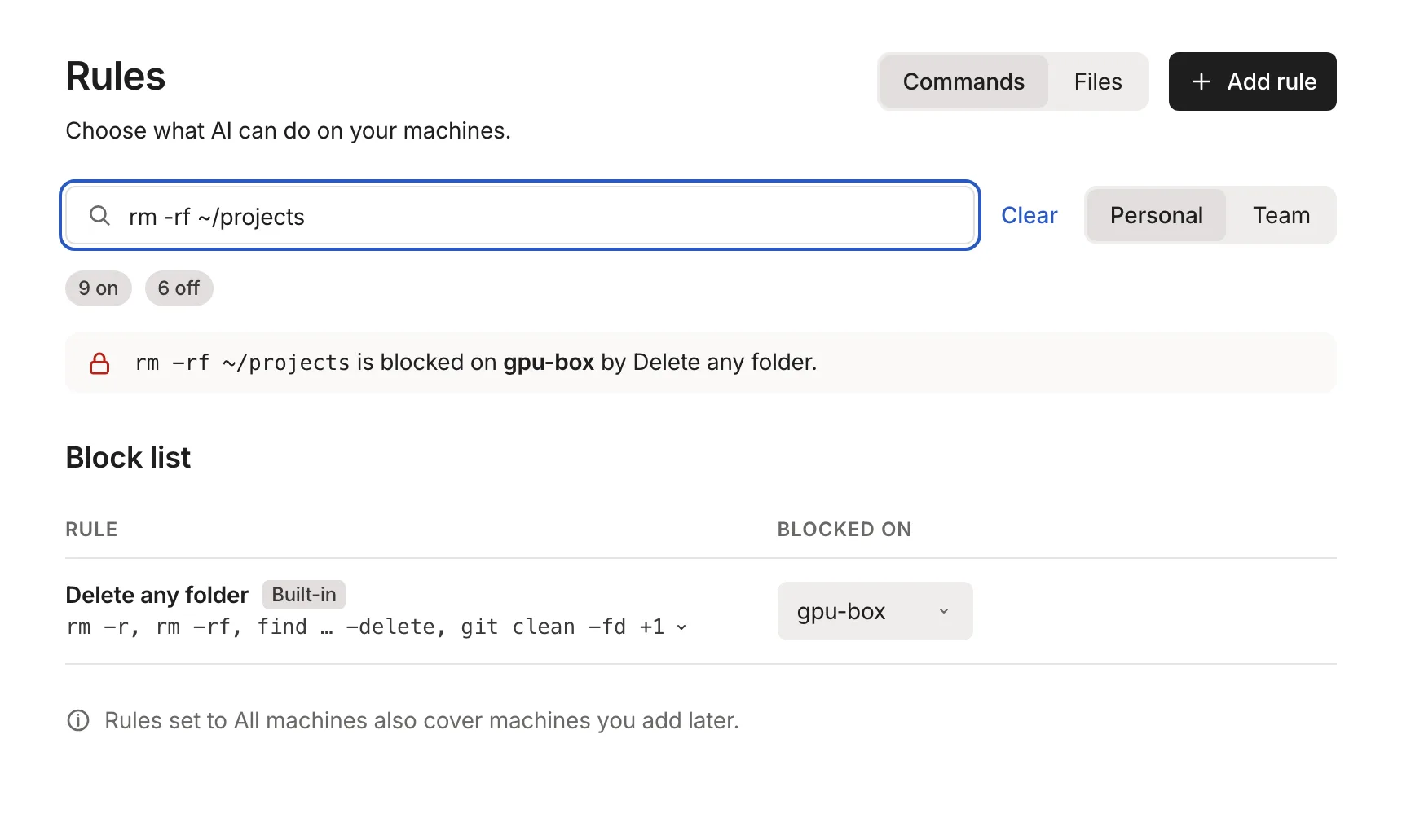
Type a command in the search box. The page says whether a rule blocks it, where, and which rule:
#What an agent sees when a rule blocks
The command does not start. It exits with status 126, and the agent gets the rule's text on standard error, which tells it what to do instead:
Blocked by Open Machine on gpu-box: Erase or format disks.
This would erase a disk or change how it is divided. To look at disks, use lsblk, fdisk -l or diskutil list.
Do not try another way. The owner of this machine can change this in Rules.
In a team's machine, the last line names the team's admins instead.
The block is recorded in Logs.
#Block your own commands
Select Add rule on the Commands tab.
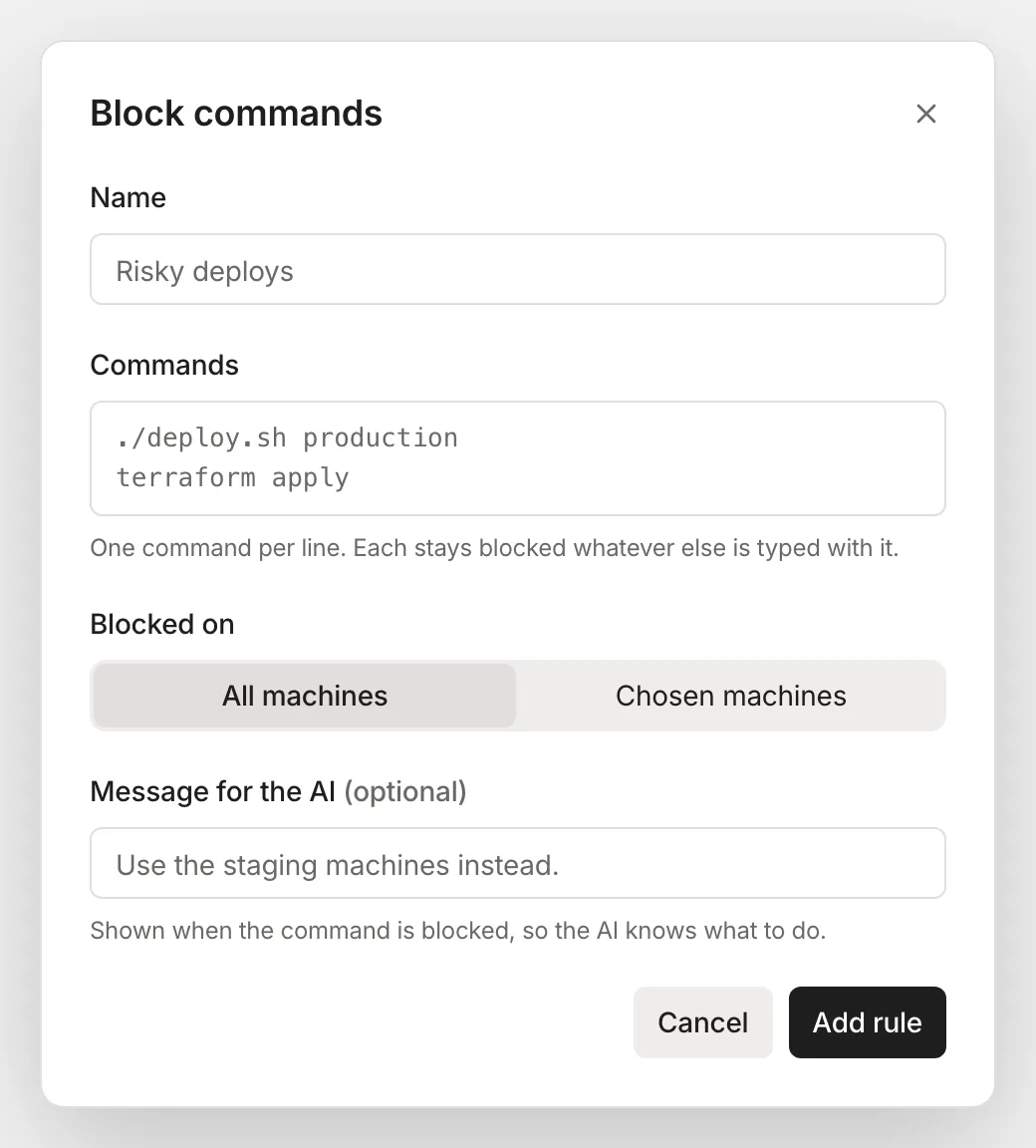
- Commands: one per line. Each stays blocked whatever else is typed with it.
- Message for the AI: shown when the command is blocked, so the agent knows what to do instead, such as "Ask Dana before restarting production."
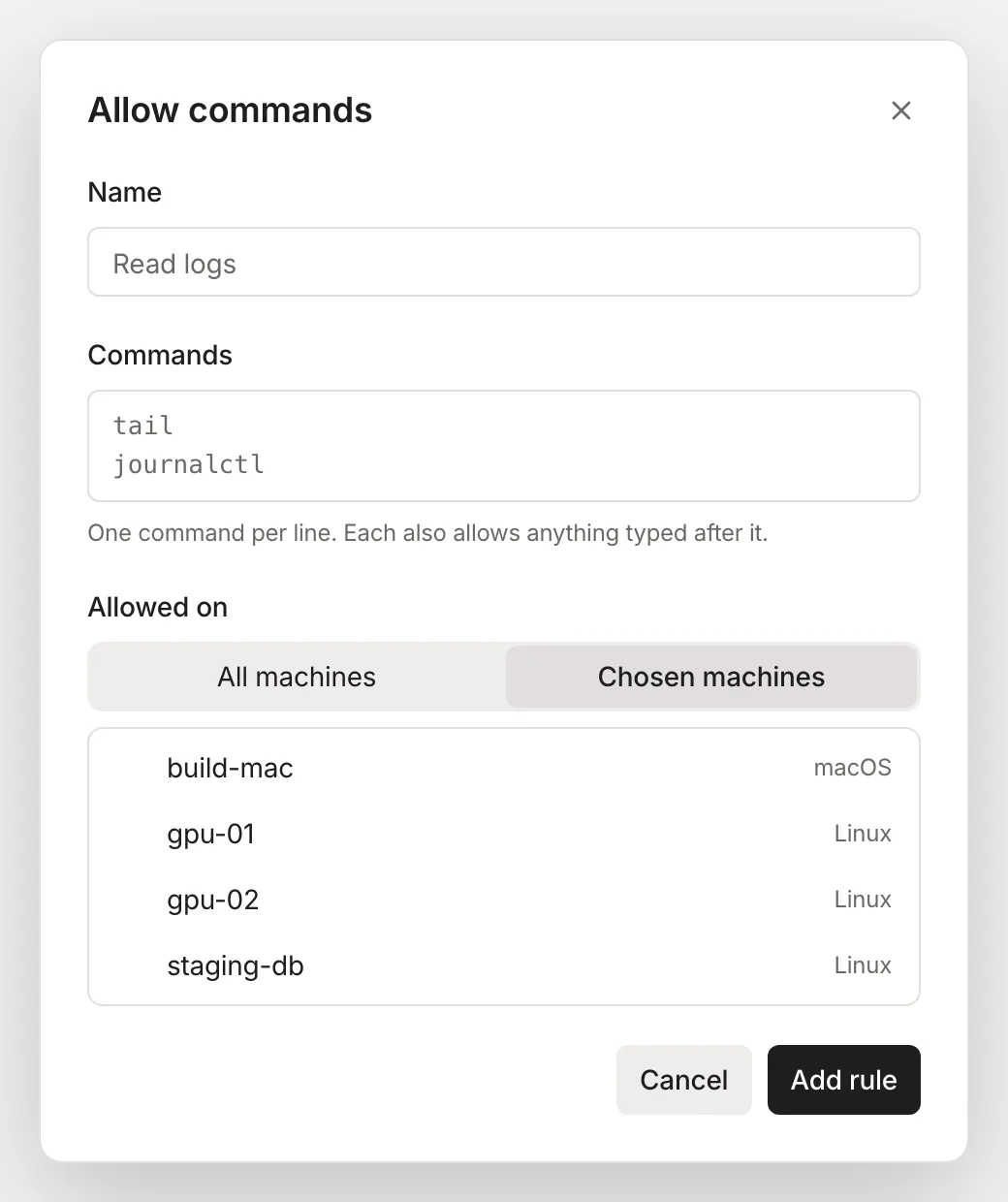
#Allow only chosen commands
Under the block list, the Allow list turns a machine into one that runs only the commands you allow.
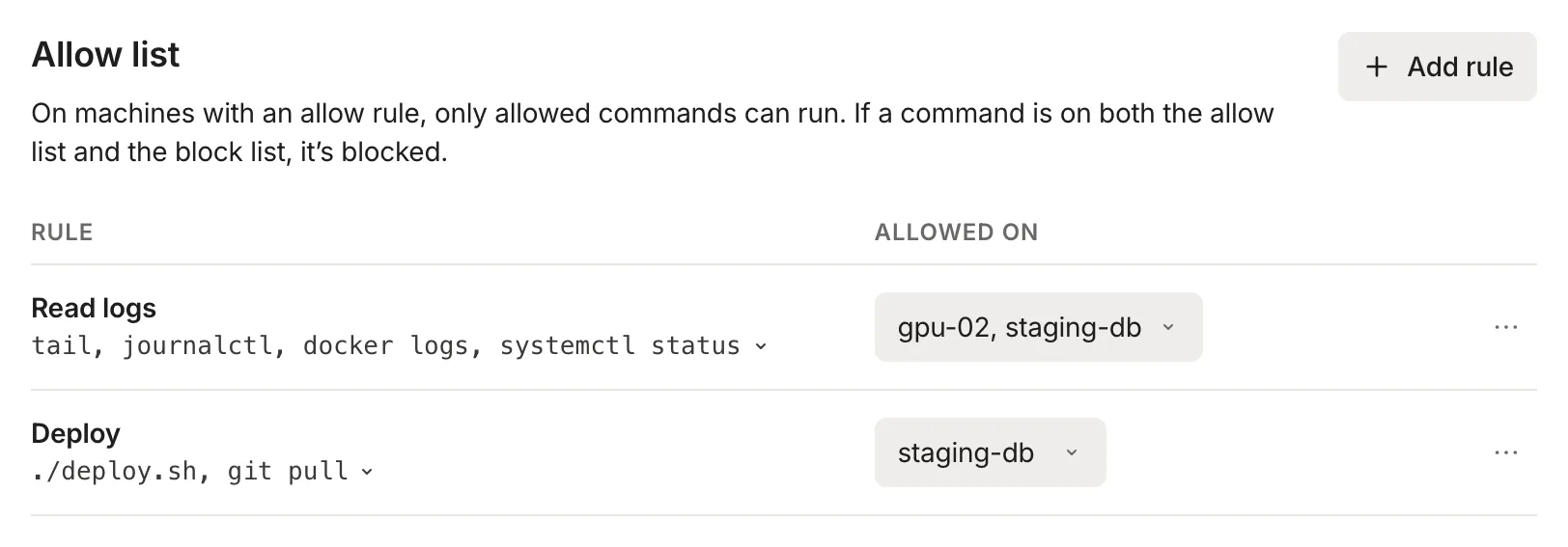
- On a machine with at least one allow rule, every other command is refused.
- Each allowed command also allows anything typed after it:
tailallowstail -f app.log. - The block list still wins: a command on both lists is blocked.
#Built-in command rules
These come with every account. You can turn each on or off.
| Rule | New accounts | Blocks | For example |
|---|---|---|---|
| Delete system or home folders | On | Deleting or taking over the folders the system and its users live in. | rm -rf /, rm -rf ~, rm -rf /etc, chmod -R 777 / |
| Erase or format disks | On | Anything that wipes a whole disk or changes how it is divided. | mkfs, dd of=/dev/…, wipefs, fdisk |
| Shut down or restart | On | A machine that is off can’t be reached until someone turns it on. | shutdown, reboot, halt, poweroff |
| Disconnect the machine | On | Stopping Open Machine, every process of its user or the network, so nobody can connect again. | om down, om uninstall, systemctl stop openmachine, kill -9 -1 |
| Change users and passwords | On | Adding, removing or changing the accounts that can sign in to the machine. | passwd, useradd, userdel, usermod |
| Show saved passwords | On | Printing the passwords and tokens the machine keeps for other services. | gh auth token, aws configure export-credentials, gcloud auth print-access-token, security find-generic-password |
| Delete all scheduled jobs | On | Deleting every job a user has set to run on a schedule, in one command. | crontab -r |
| Delete any folder | Off | Every delete that takes a folder and all that is in it. AI does this often in ordinary work. | rm -r, rm -rf, find … -delete, git clean -fd |
| Run as administrator | Off | Commands that ask for the machine’s full power. | sudo, su, doas |
| Download and run scripts | Off | Running a script straight from the internet, unread. | curl … | sh, wget … | bash, bash <(curl …) |
| Rewrite Git history | Off | Overwriting or deleting work that is already saved in Git. | git push --force, git push --delete, git reset --hard, git filter-branch |
| Delete cloud resources | Off | Removing servers, storage and whole environments in your cloud accounts, and local containers and their data. | terraform destroy, docker system prune, kubectl delete, aws … delete-* |
| Delete databases | Off | Deleting a database or everything in one of its tables. | dropdb, DROP DATABASE, DROP TABLE, redis-cli FLUSHALL |
| Publish packages | Off | Releasing software to the public under your name. | npm publish, cargo publish, twine upload, gem push |
#Protect files
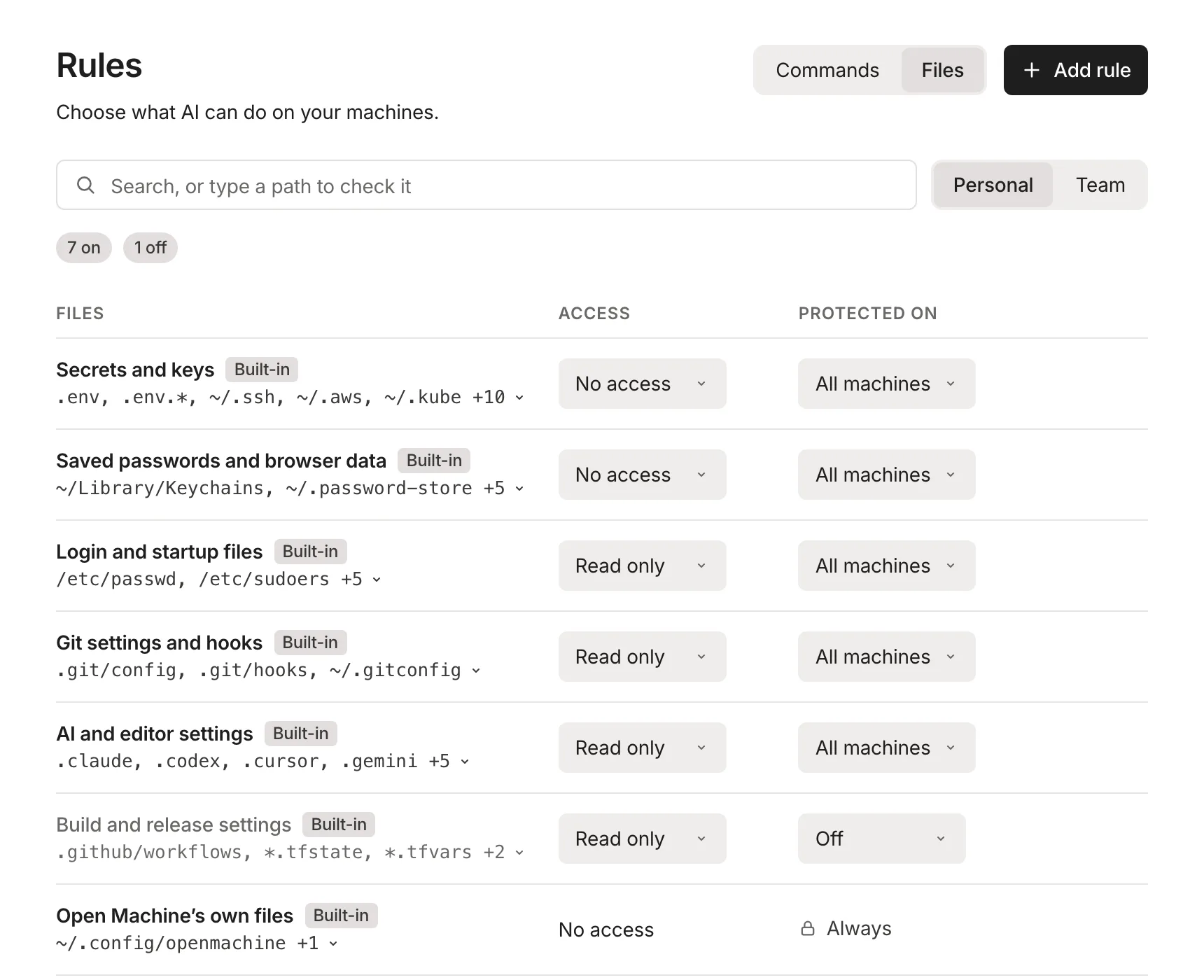
A file rule decides whether agents may read a file, or neither read nor change it. The tools that use these files keep working: git, ssh, aws and your app still read their own settings.
| Rule | New accounts | Agents can | For example |
|---|---|---|---|
| Secrets and keys | On | Neither read nor change | .env, .env.*, ~/.ssh, ~/.aws |
| Saved passwords and browser data | On | Neither read nor change | ~/Library/Keychains, ~/.password-store, ~/.local/share/keyrings, ~/.config/google-chrome |
| Login and startup files | On | Read, not change | /etc/passwd, /etc/sudoers, /etc/ssh/sshd_config, ~/.ssh/authorized_keys |
| Git settings and hooks | On | Read, not change | .git/config, .git/hooks, ~/.gitconfig |
| AI and editor settings | On | Read, not change | .claude, .codex, .cursor, .gemini |
| Build and release settings | Off | Read, not change | .github/workflows, *.tfstate, *.tfvars, Dockerfile |
| Open Machine’s own files | Always on | Neither read nor change | ~/.config/openmachine, ~/.local/state/openmachine |
#What rules cannot do
A rule reads only the command line an agent sends. It does not see what a script or program does once it runs, what a variable or pipe supplies, or where cd went. It does not read a terminal, a shell fed line by line, SFTP or port forwards. Rules guard against mistakes, not against someone set on getting around them. For a hard limit, use Read only or Workspace.