Use your machines
GitHub
Let agents fetch, push and open pull requests from any of your machines, with no GitHub token on them.
Connect GitHub once in the Console. Agents on any of your machines can then use git with GitHub and open pull requests, with no GitHub token ever stored on a machine.
#Connect
In the Console, open Plugins and select GitHub.
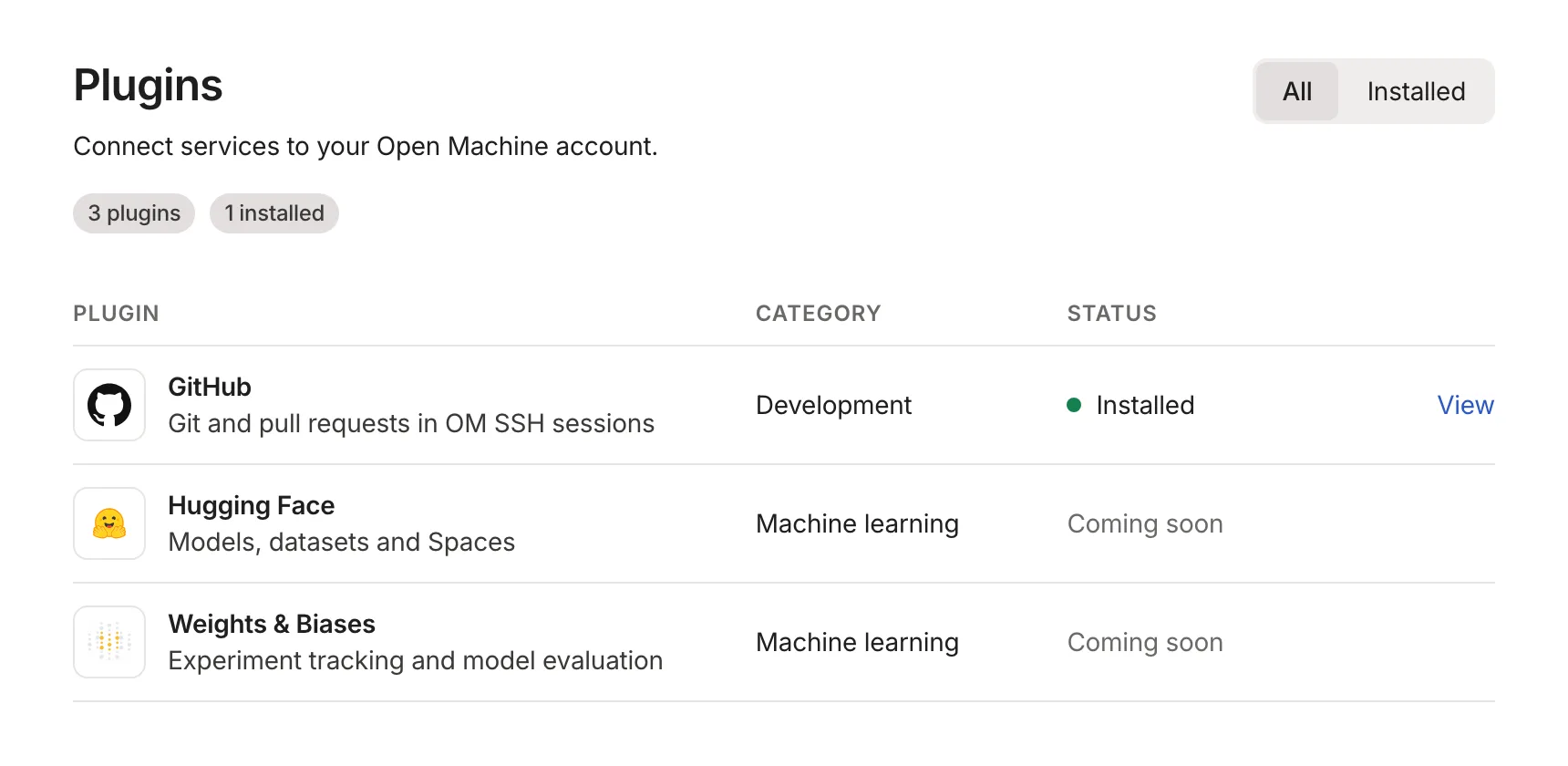
- Install it, then select Add GitHub and sign in to GitHub. Choose which repositories it may use on GitHub's own page.
- With more than one GitHub account, choose the default in the account's menu with Set default.
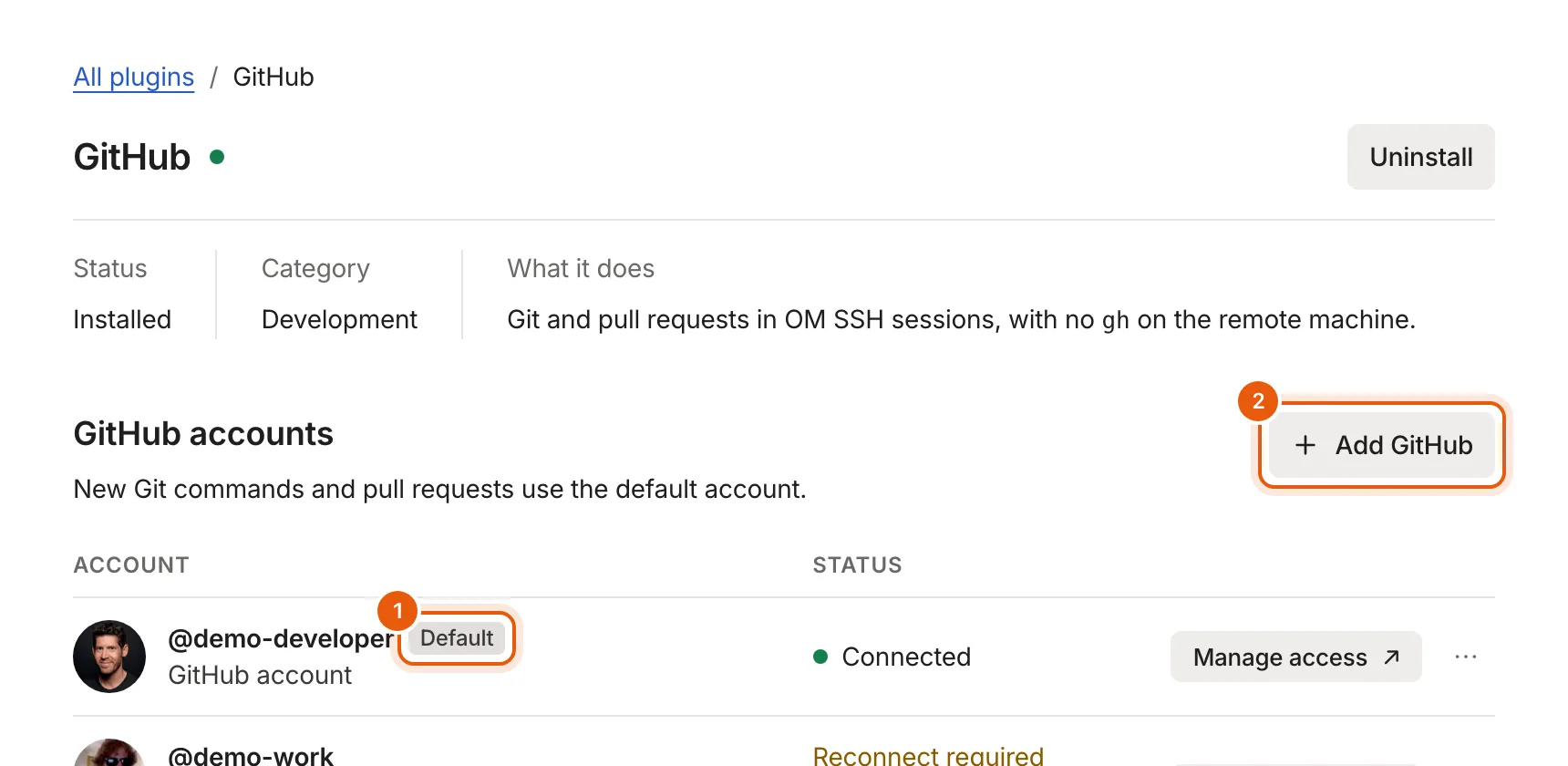
- Default marks the account new commands use. A command already running keeps the account it started with.
- Add GitHub connects another account.
Manage access opens GitHub's page for the repositories an account may use. Reconnect required means GitHub stopped accepting the account's sign-in: select Reconnect.
The GitHub account you connect does not have to be the one you sign in to Open Machine with.
#What agents can do
| Permission | Git |
|---|---|
| Read only, Workspace | Fetch, clone and read. |
| Full access | Also push branches and open pull requests. |
A push never updates the repository's default branch. Push a branch and open a pull request instead.
Remotes spelled https://github.com/, git@github.com: or ssh://git@github.com/ all work. Open Machine changes no Git settings on the machine: only the session's environment.
#Pull requests and checks
In a session, om github opens and reads pull requests and reads checks. It does nothing else: no merge and no workflow runs.
om github pr create --title TITLE [--body TEXT | --body-file FILE] [--base BRANCH] [--head BRANCH] [--draft]
om github pr view [NUMBER]
om github pr list [--state open|closed|all] [--head BRANCH]
om github ci [REF]
Each takes --remote NAME (default origin) or --repo OWNER/NAME, and --json for the raw result.
#Where it works
On your own machines, Git through Open Machine works without asking. On your team's machines it works only after you turn it on: see Team machines. Under Full access, credentials the machine's user already has keep working for anything that does not go through Open Machine.
#Team machines
Turn this on to use your GitHub on your team's shared machines, in sessions you open from your own machines. Your GitHub token is never stored on these machines, and important actions need your approval.
On the GitHub page, under Team machines, select Turn on. It takes effect within seconds, in sessions already open too.
#What runs by itself, and what asks you
| On a team machine | |
|---|---|
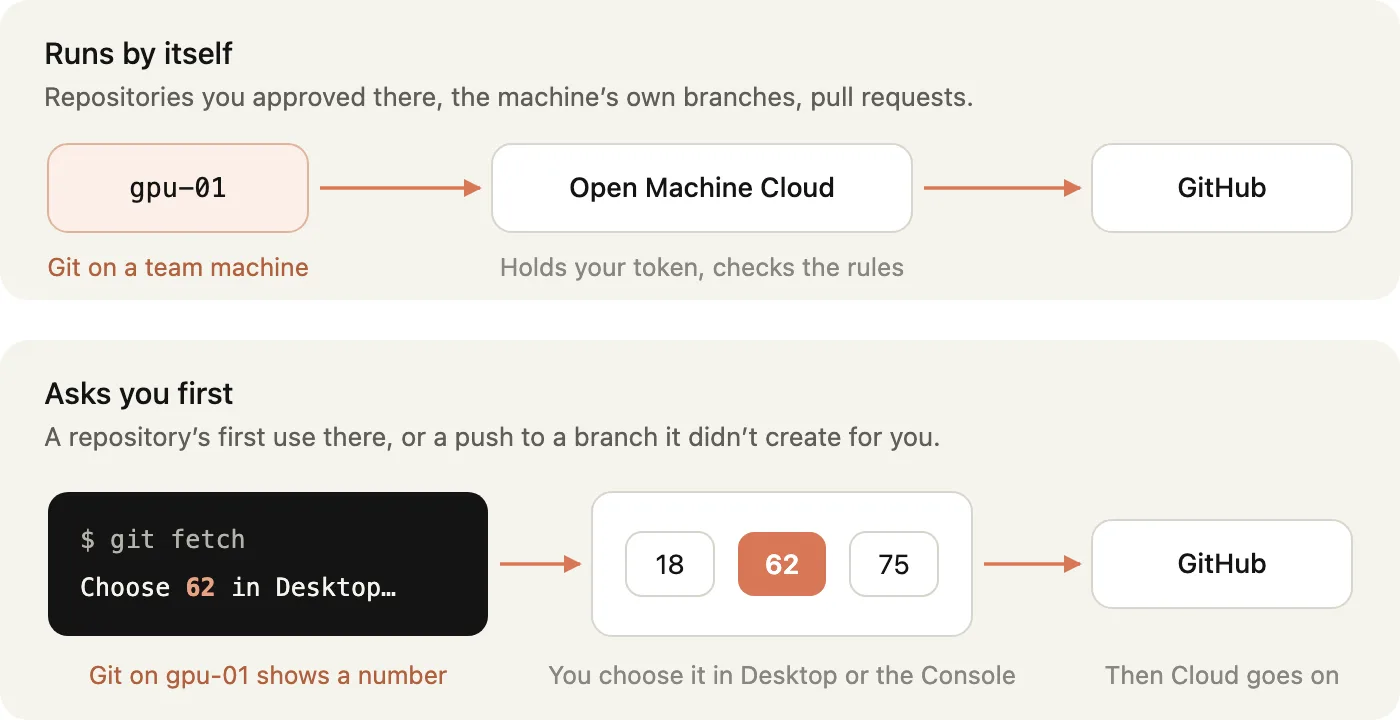
| Runs by itself | Fetch and pull a repository you approved there. Push to a branch that machine created for you, and delete it. Open and read pull requests, and read checks. |
| Asks you first | The first use of a repository on that machine; your approval lasts 12 hours. Each push to a branch that machine didn't create for you. |
| Never | Push to the default branch or a tag. Merge. Delete a branch that machine didn't create for you. |
With Read only access to the machine, Git there only fetches and reads.
#Approve with a number
When Git needs your approval, it shows a number, and you choose the same number in Desktop or the Console.
- In a terminal, Git waits up to 5 minutes for you to choose, then goes on by itself.
- Run by an AI agent, Git stops at once and tells the agent to give you the number and run the command again, which waits for you to choose.
- On a Mac with Desktop, a small window opens on top. Anywhere else, open the GitHub page in the Console: the request is under Waiting for you.
- A number works for 5 minutes. A wrong number cancels only that request: run the command again for a new one.
- Deny refuses that request. If you didn't start it, select Stop team machines: every team machine stops using your GitHub at once.
#Why it's safe
- Your token never leaves Open Machine. Cloud keeps it and makes every GitHub request itself. A machine only gets a key for one repository that expires within 15 minutes, so nobody on it, not even root, can copy your GitHub login.
- Cloud decides, not the machine. What runs by itself and what asks you is checked in Cloud on every request, so a changed machine cannot skip a question.
- A number stops requests you didn't start. Only the terminal or agent where Git waits shows it: choose only a number you see there.
- Everything is in Logs, yours and the team's: each approval, push and pull request, with the machine and the device the session came from.
Limits: while your session is open, anyone with Full access on that team machine can do there what runs by itself: fetch repositories you approved there, push branches it created for you, which can run the repository's CI, and open pull requests. Programs running as you on your own devices can approve too. Use team machines whose members you trust, and select Turn off when you don't need it.
#Turn off
Select Turn off on the GitHub page, or Stop team machines on a request. Team machines stop using your GitHub at once, waiting requests are denied, and your approvals there are forgotten.
#Disconnect
In the account's menu, select Disconnect account. Open Machine deletes the account's tokens. Repository access is managed on GitHub, under Manage access.