Use your machines
Models
Use the AI models running on any of your machines from apps on the computer you are using.
Models lists the AI models on your machines. Start a model server on a machine, such as Ollama, LM Studio or llama.cpp, and its models show up by themselves. Any app on your computer can then use them through one address.
#The Models page
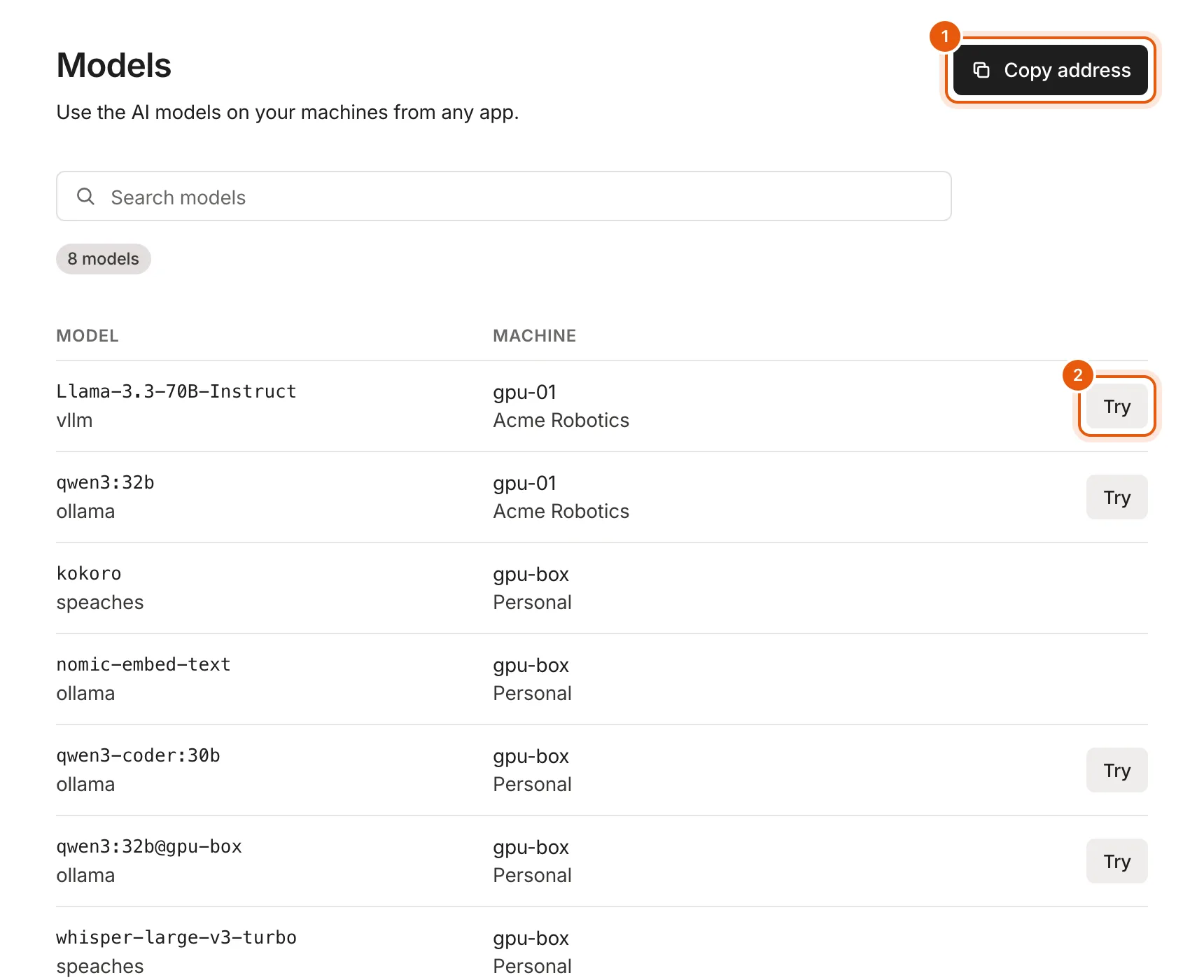
- Copy address copies the address apps use.
- Try opens a chat with that model, at
http://127.0.0.1:11400/.
#Use a model in an app
On a computer with Open Machine, give the app this address:
http://127.0.0.1:11400/v1The app lists the models of all your machines, and of this computer, for you to pick. Each request goes to the machine that has the model it names. Select a model's name on the Models page to copy the name exactly as apps see it.
The address answers apps on your computer only. It refuses requests from websites.
#In a team
Models work at every permission level, even where a person cannot otherwise use the machine. On a team machine's page, the AI models column chooses who may use its models. Only model requests reach the machine this way; nothing else does. See Teams. When the team approves new machines, the machine you use must also be approved: see Approve new machines.