Use your machines
Services
Open the web pages and use the programs running on your machines, such as ComfyUI, JupyterLab or a database.
Services lists the web pages and programs running on your machines, such as ComfyUI, JupyterLab or a database, and opens them on the computer you are using. Anything a machine starts that listens on a port shows up by itself.
#Before you start
- Open Machine runs on the computer you open them from: the Mac app, or
omon Linux. - The machine that runs them has Full access. Read only and Workspace machines are not listed.
#Open a web page
Open Machines → Services.
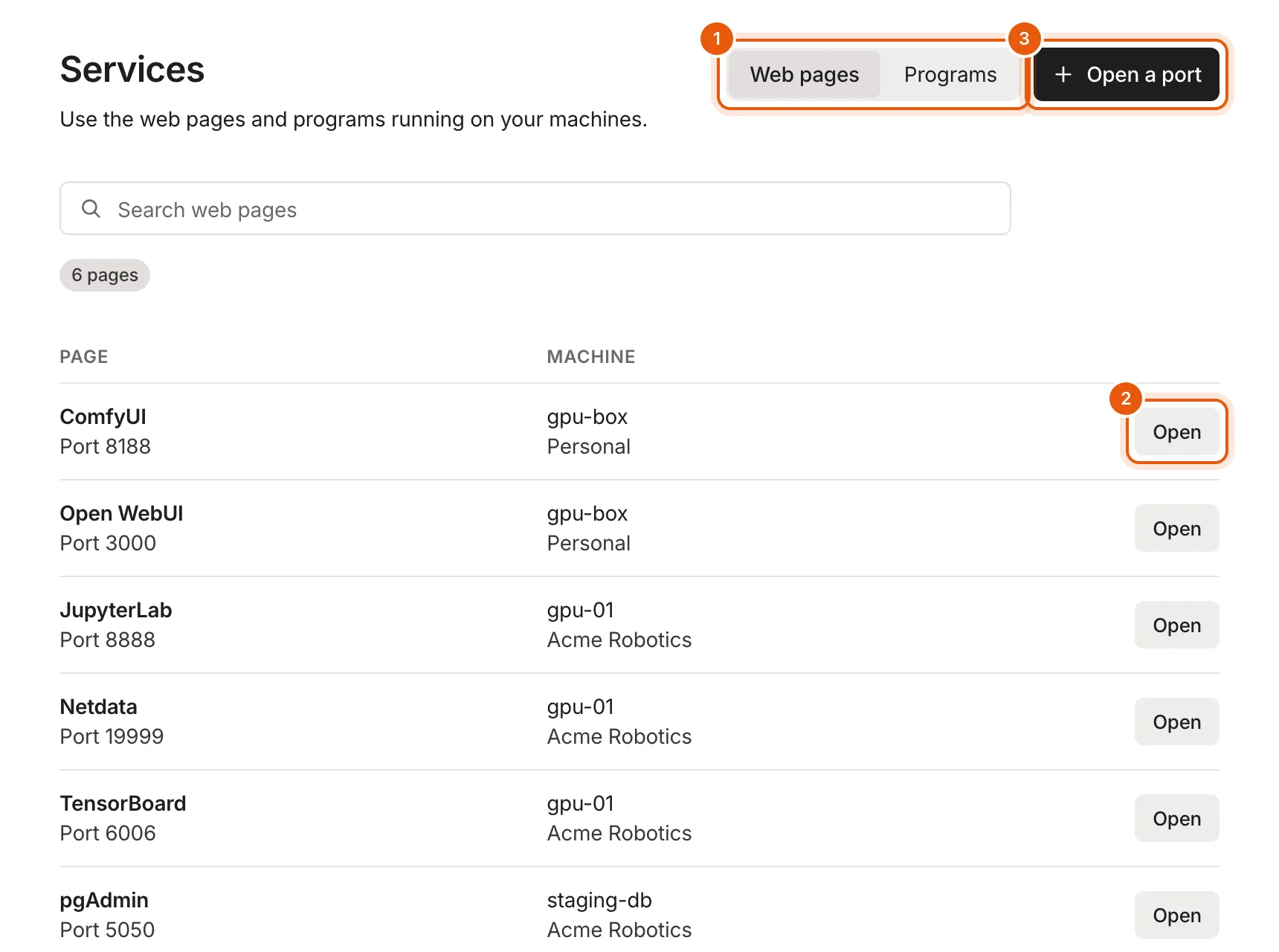
- Web pages lists pages; Programs lists everything else.
Open opens the page in a new tab, at an address on your own computer that you can bookmark:
Output http://localhost:11400/<machine>/<port>
- Open a port opens one that is not listed.
The first time you open a page, your computer asks you to agree. Until you do, nothing reaches the machine.
#Use a program
For a database or another program that is not a web page, open Programs and select Use.
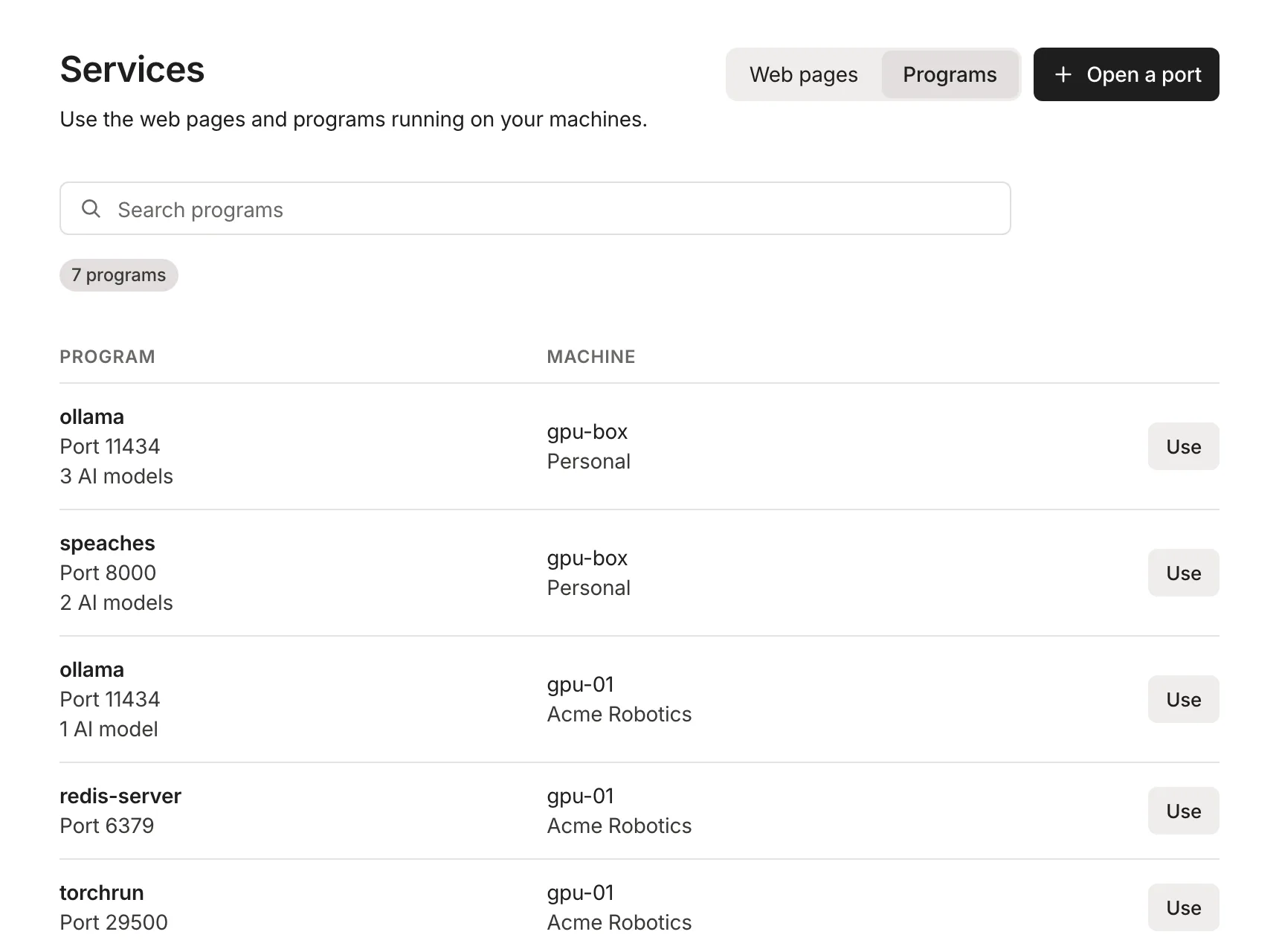
It gives you a command to run on your computer, such as:
ssh -N -L 6379:localhost:6379 gpu-01.acme.omWhile it runs, connect your app to localhost:6379.
#Open a port that is not listed
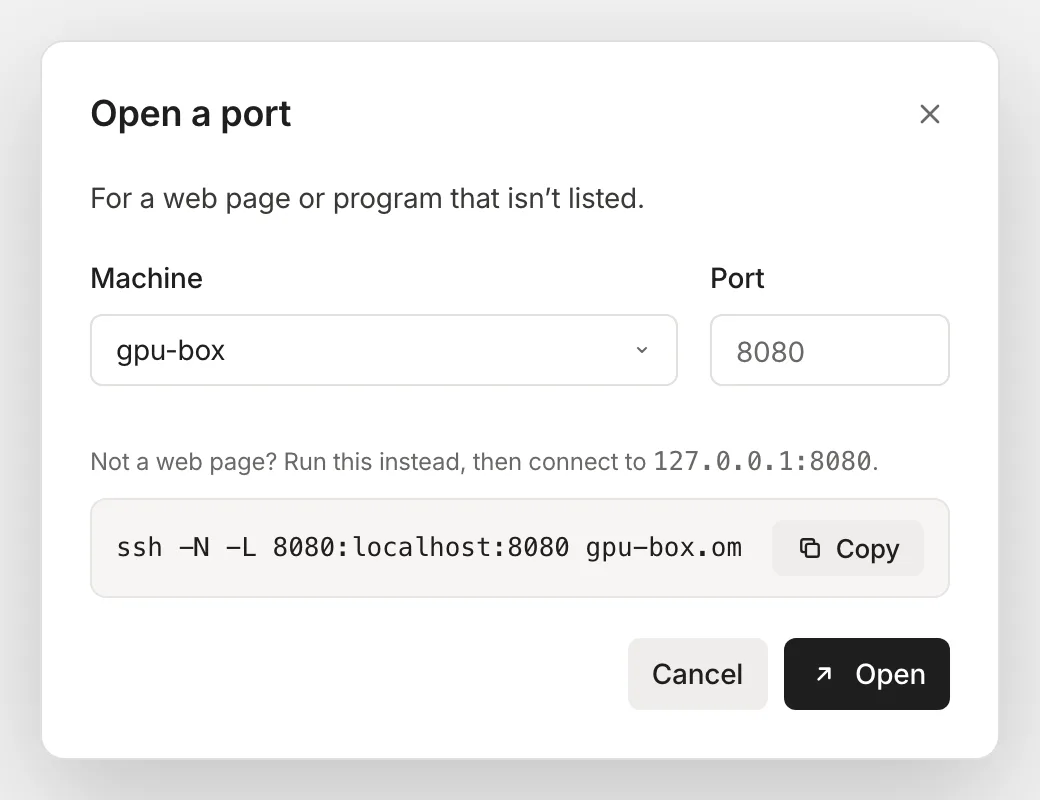
Open a port takes a machine and a port. Open opens it as a web page; for anything else, copy the ssh -N -L command it shows.
A machine that is offline shows its pages again when it is back.