Get started
Quickstart
Add two machines and run a command on one from the other, in about five minutes.
You need two computers: Macs with Apple silicon, Linux machines, or one of each. By the end, an agent on one runs commands on the other.
#1. Sign in
Open the Console and sign in with your email, Google or GitHub. With email, Open Machine sends you a code to enter. This creates your account. Signing in alone gives no machine access to anything.
#2. Add your first machine
#A Linux machine
- In the Console, open Machines and select Add machine.
Choose Linux, then what agents may do on it: Read only, Workspace or Full access. You can change it later. Select Create command.
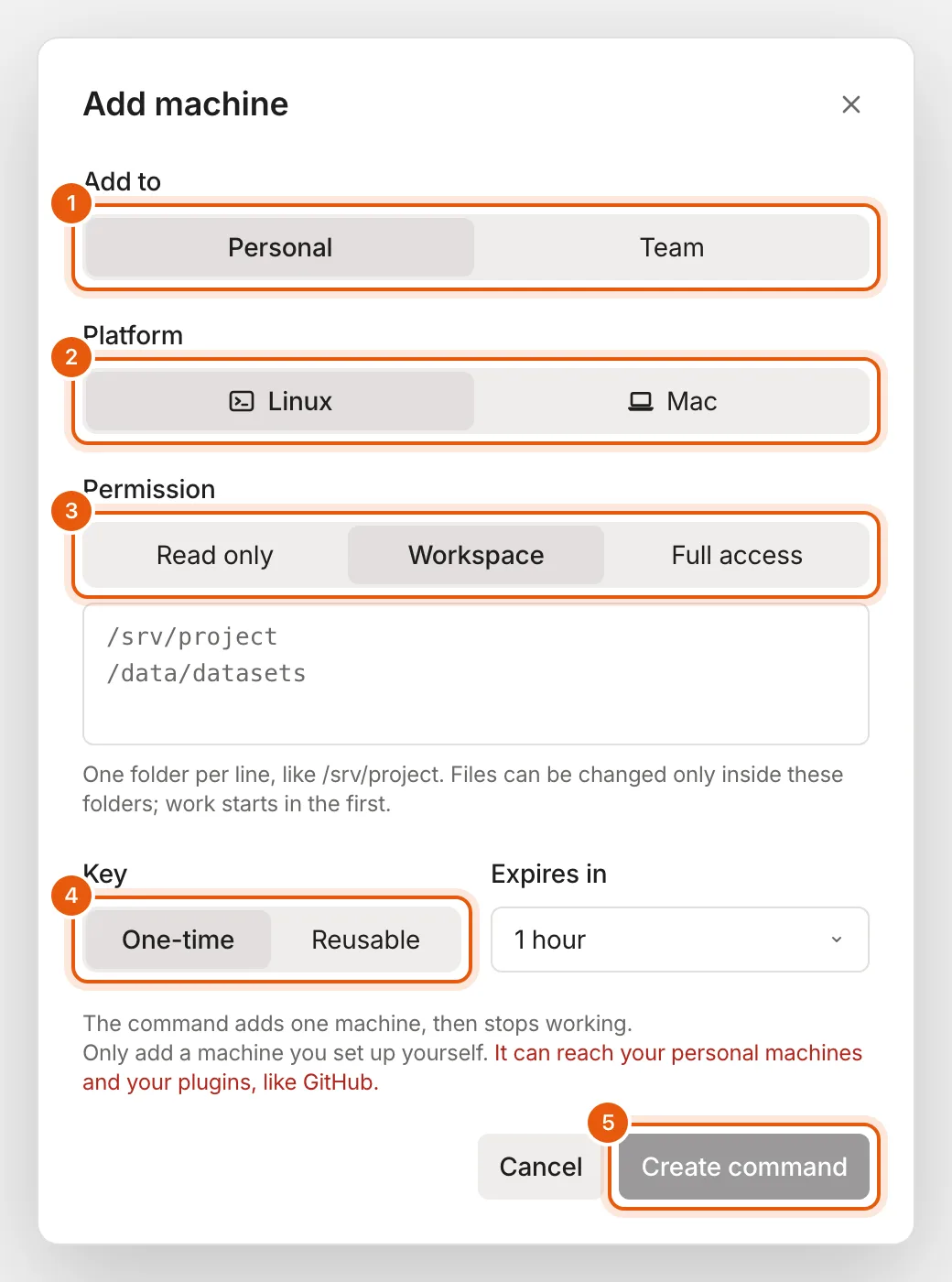
Copy the command. Run it on the Linux machine as the user agents should work as, without
sudo.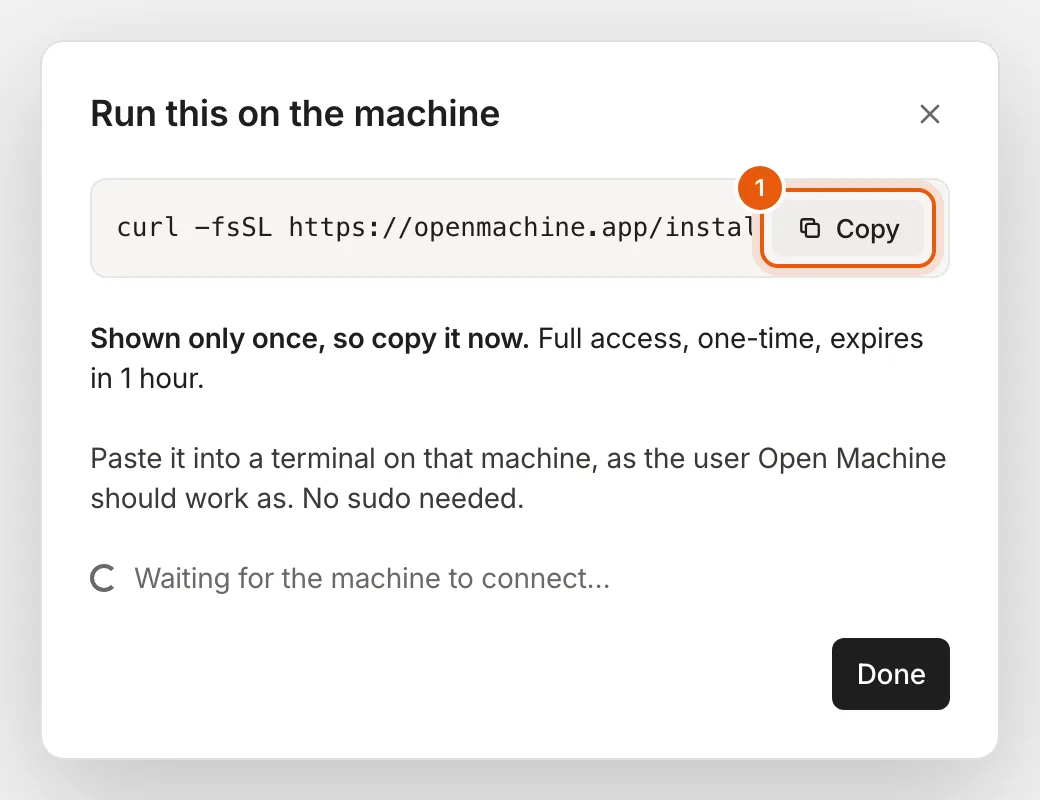
The machine appears under Machines a few seconds after the command finishes. Install on Linux has the other ways to install, such as with no browser at all.
#A Mac
- On the Mac, download the app from Download and open it.
- Sign in with the same account. A browser page asks you to connect the Mac: choose Personal and select Connect.
- In the app, choose what agents may do on this Mac.
See Install on a Mac.
#3. Add the second machine
Repeat step 2 on the other computer. Your own machines can reach each other as soon as both are online: you change that later in Connections if you want.
#4. Run a command from one on the other
Open the second machine's page in the Console. Its Address is the name agents use, such as gpu-box.om.
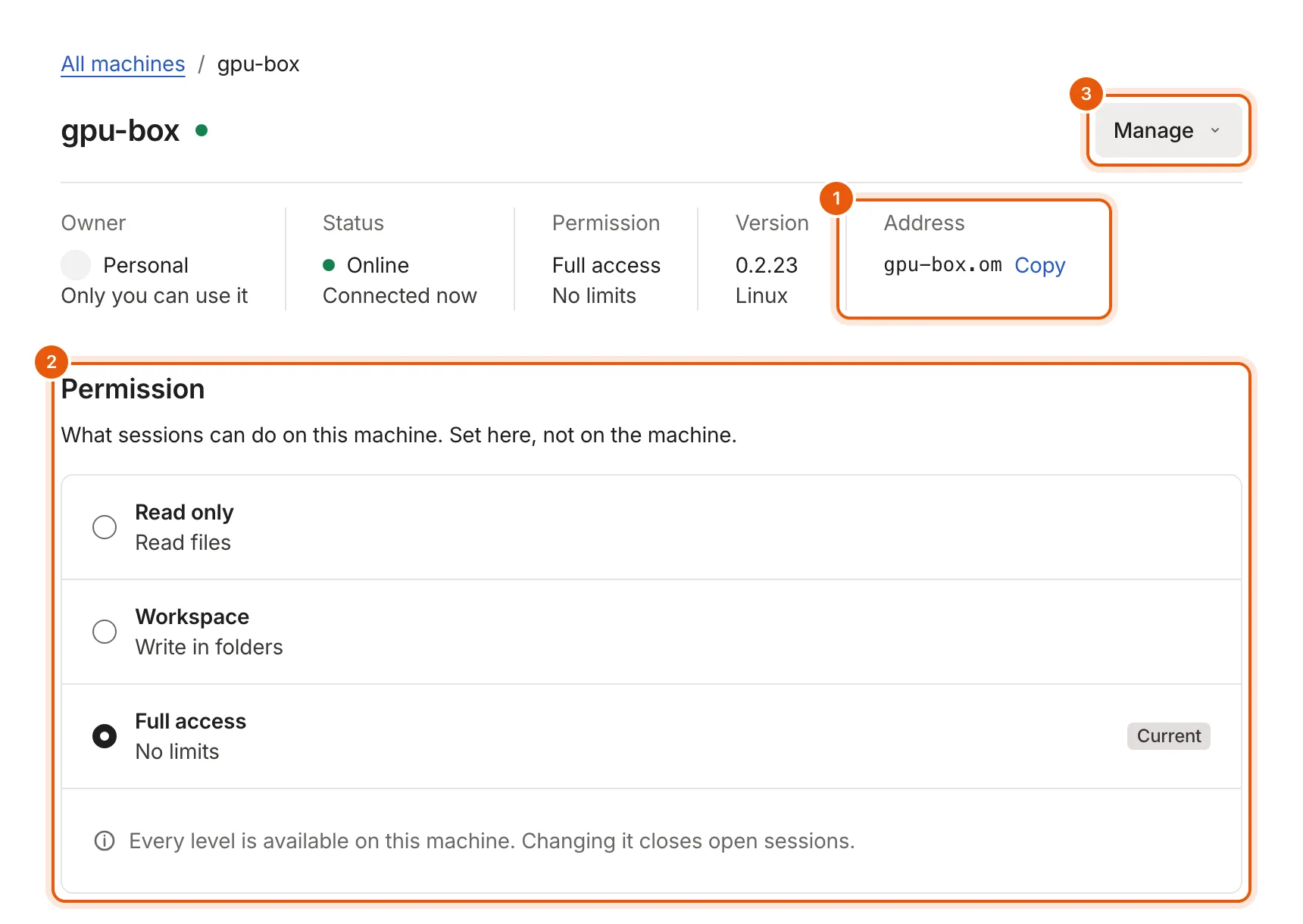
On the first machine, run:
ssh gpu-box.om 'uname -a'That is all an agent needs. Ask it, for example, to run the tests on gpu-box.om, and it connects the same way.