Teams and logs
Logs
See who connected to which machine and what ran, export it, and send it to your own tools.
Logs records every connection to your machines: who connected, from which machine and app, when, with which folder and permission, and what happened. It has three pages: Activity, Changes and, for teams, Streaming.
#Activity
Logs → Activity lists connections, newest first.
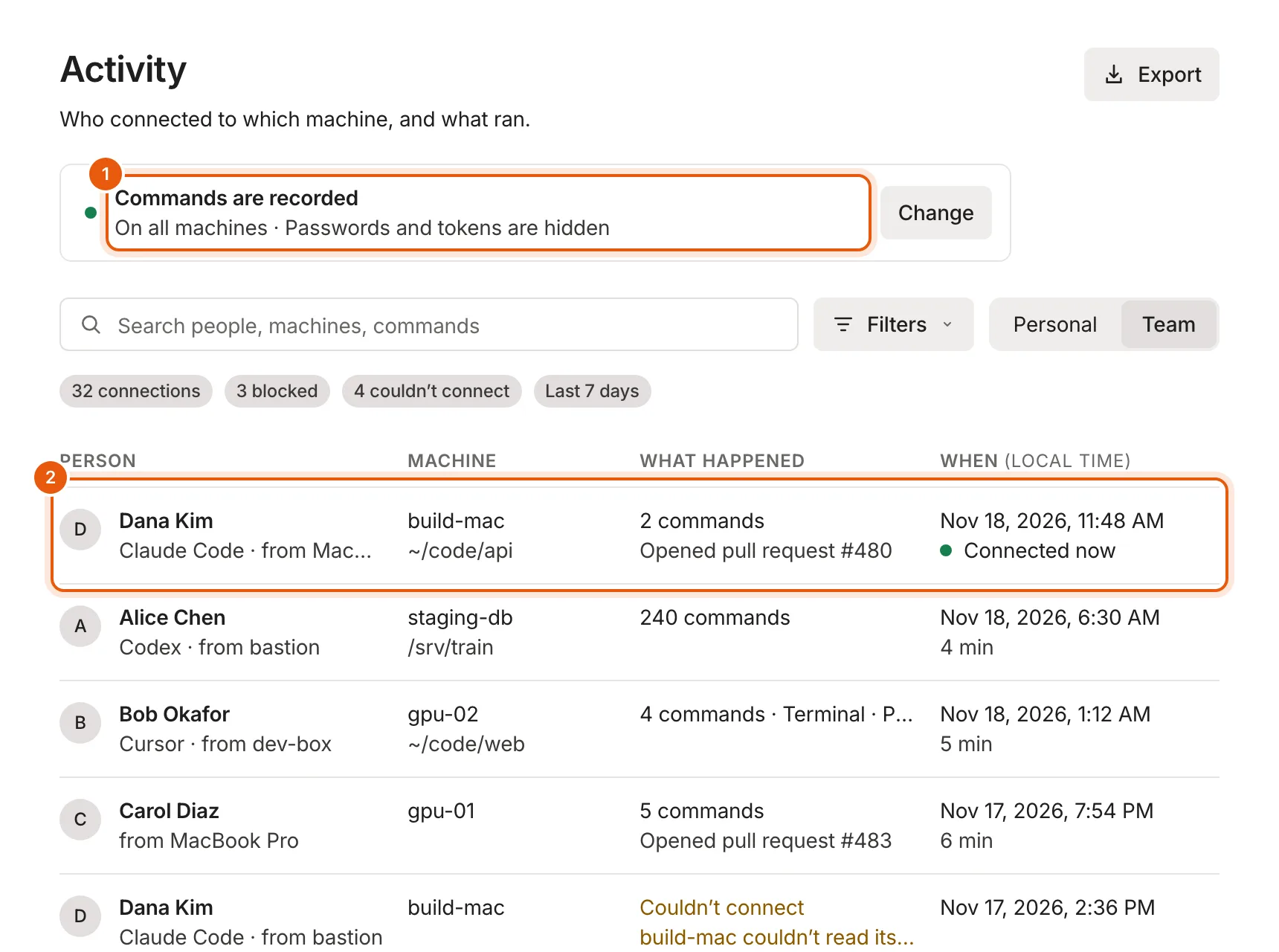
- Command recording says whether commands are recorded, and where. See Command recording.
- Each row is one connection: the person, their app and the machine they came from; the machine and folder; what happened; and when. A row with one pull request or one pushed branch links to it on GitHub. Select the row for the details.
A connection's page lists each step in order:
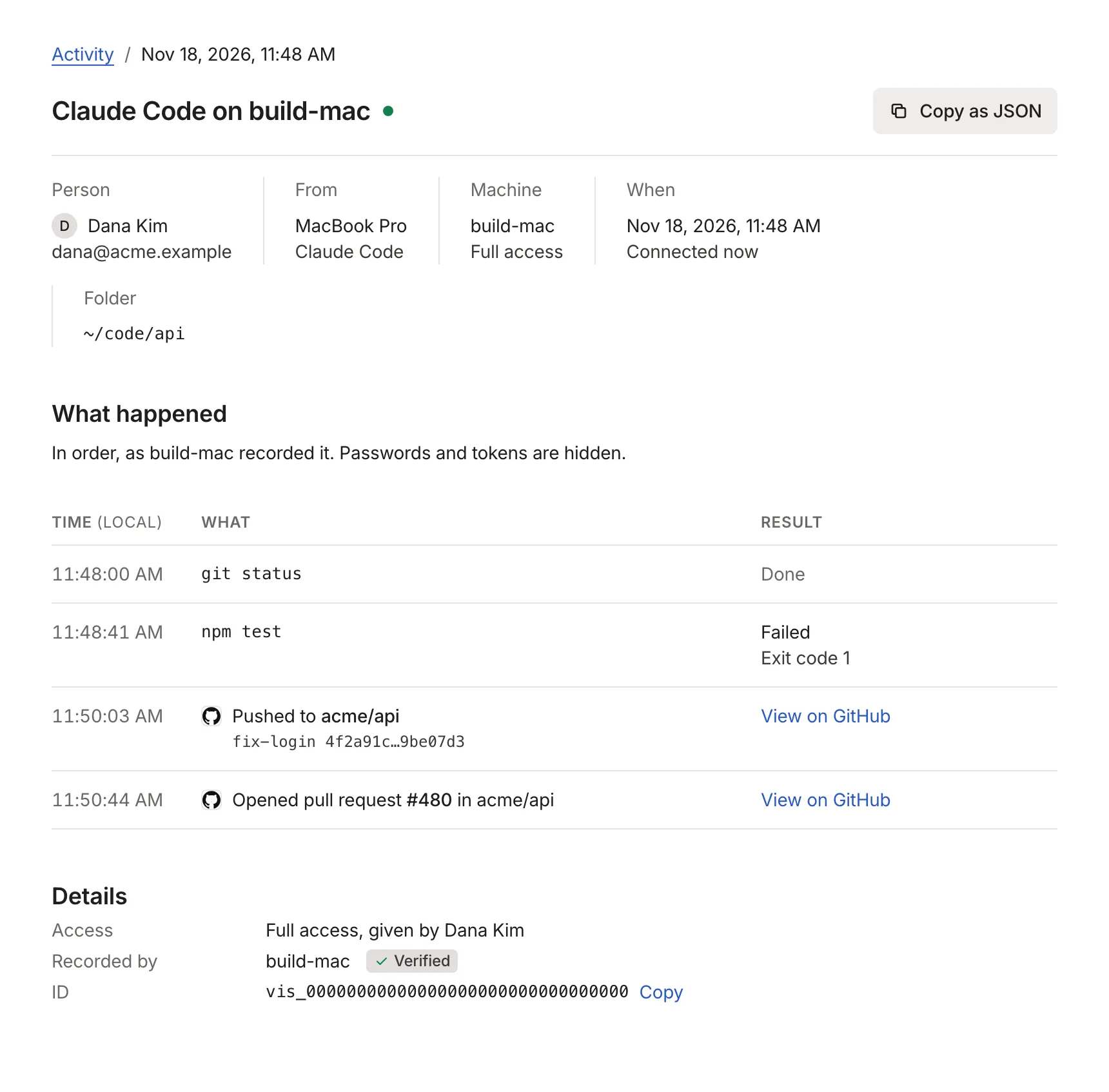
Activity records:
- a command or terminal that started, and how it ended
- a blocked command, with the rule that blocked it
- a forwarded port and a refused connection
- each Git push and pull request, and each answer to a request to use your GitHub on a team machine
Without command recording, Activity shows who connected and when, Git, ports and anything blocked, but not the commands.
#Command recording
An admin, or you on your own account, turns on command recording with Change on the Activity page, for all machines or for chosen machines and groups. It is off until someone turns it on. People see a note when they connect to a machine that records.
- Passwords and tokens Open Machine recognizes are removed on the machine, before the record leaves it.
- What commands print, what is typed in a terminal, and the files a session reads or writes are never recorded.
#Changes
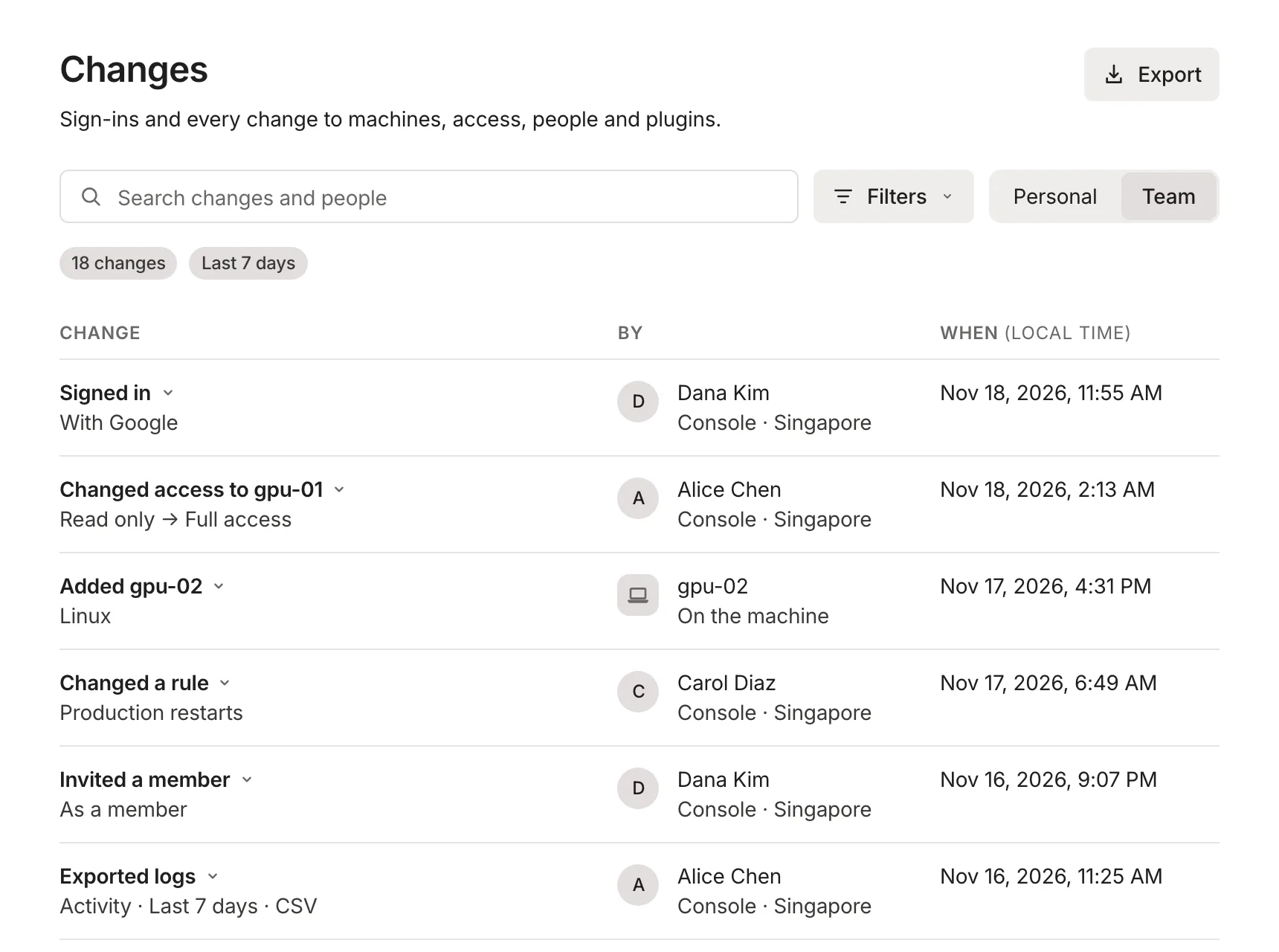
Logs → Changes lists sign-ins, and every change to machines, access, people and plugins: who made it, from where, and when.
#Who can read them
On your own account, only you. In a team, you see your own activity and what changed for you; admins see everything. When your GitHub is used on a team machine, your Logs and the team's both show it. Pushes and pull requests are in the connection they came from; an approval to clone or fetch is a row of its own. A row with GitHub's mark is only your GitHub's use.
#How long they are kept
90 days for your own account and 1 year for a team.
#Export
Export, on Activity and Changes, saves what matches your search and filters as CSV, which opens in a spreadsheet, or JSON, which keeps every detail.
Each machine signs its records with its device key. To check an export's records and their order on your own computer, use verify-logs.mjs from the openmachine repository:
node scripts/verify-logs.mjs <export>A valid signature names the machine, not the person: a Full access session on that machine could use its key.
#Streaming
Logs → Streaming sends every new record of a team, as it happens, to the team's own tools. Only admins see it.
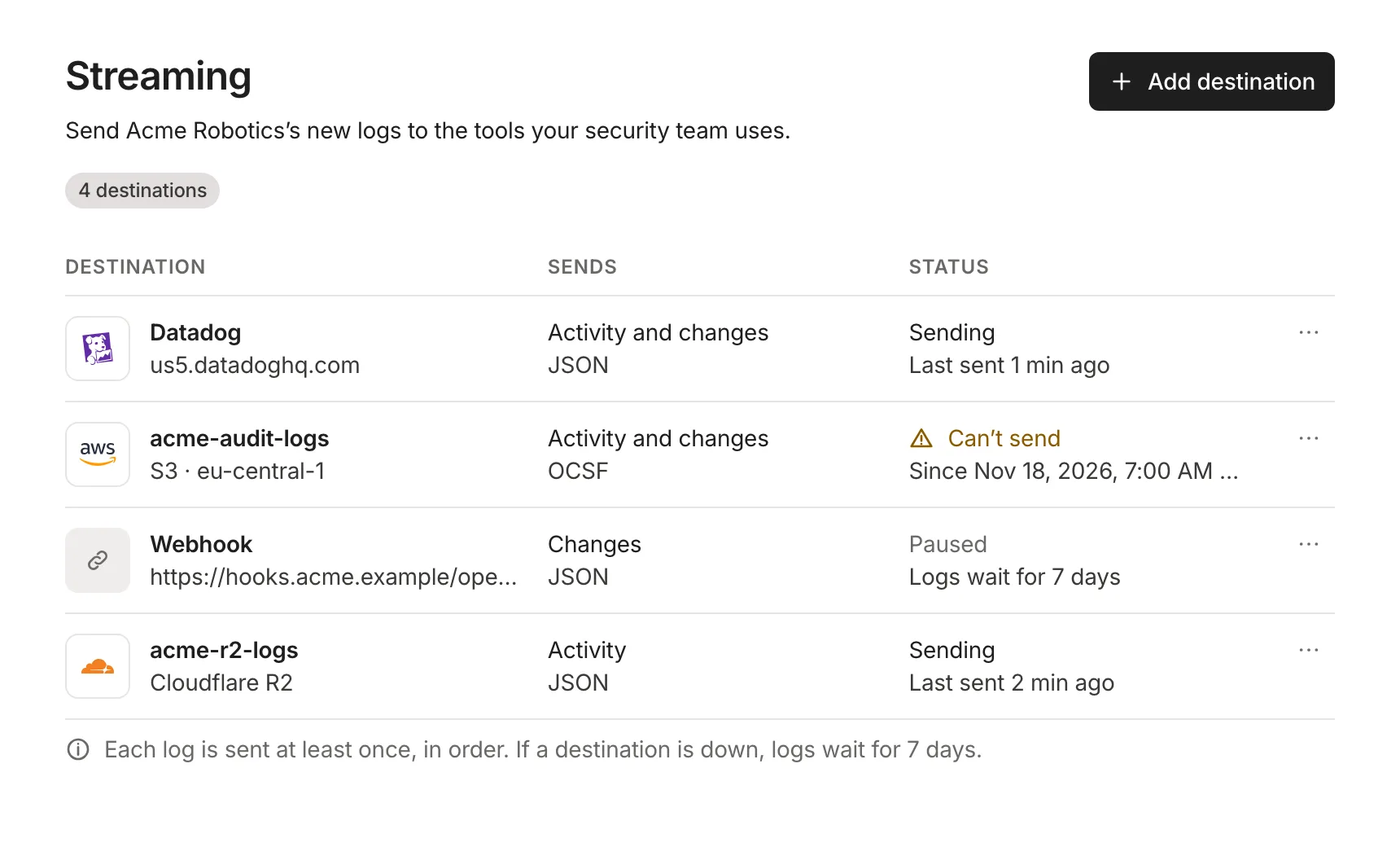
Select Add destination and choose where logs go:
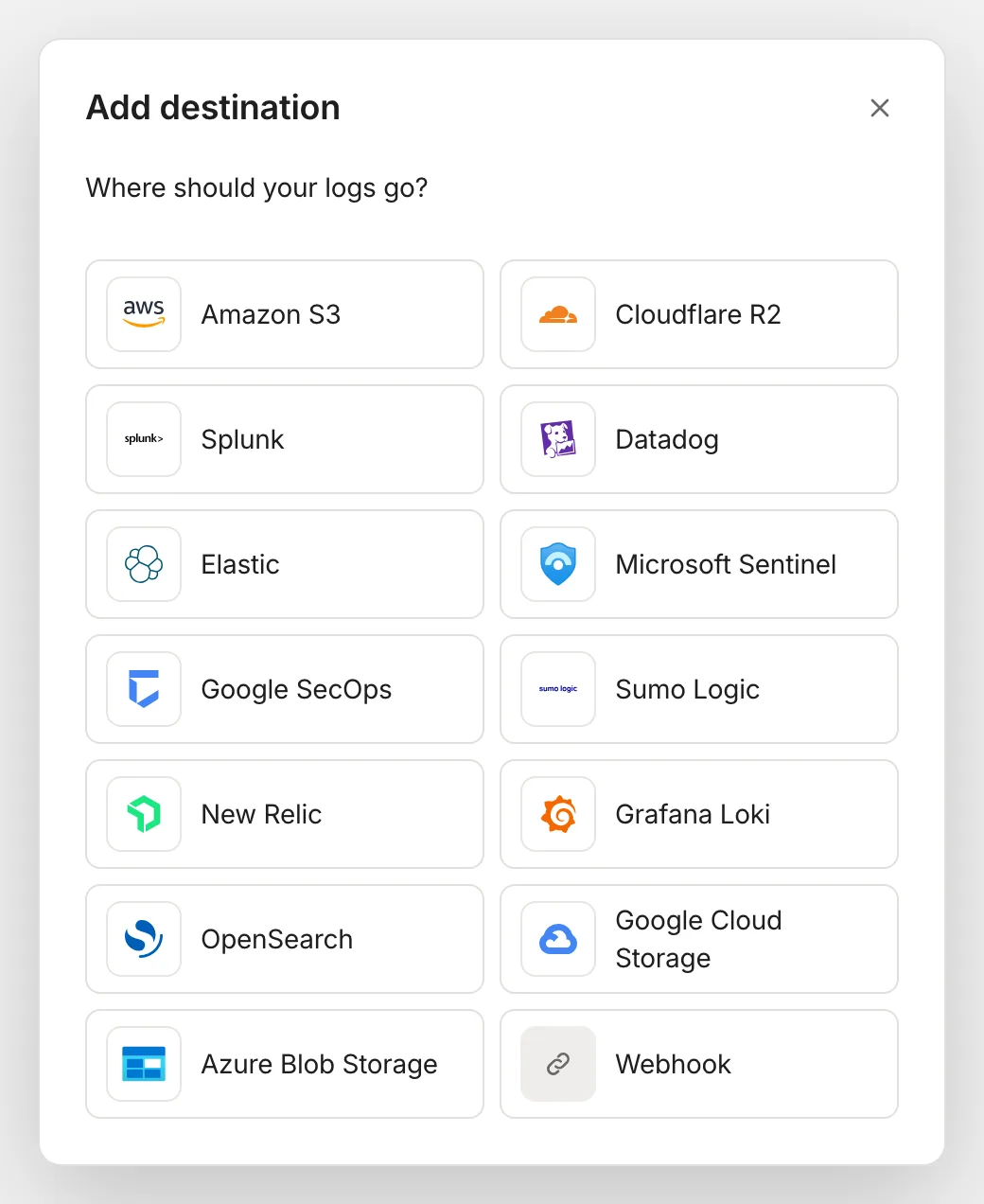
Amazon S3 also takes other S3-compatible storage. A webhook is any HTTPS address.
- Choose Activity, Changes or both, as JSON or OCSF.
- Each record is sent at least once, in order. Webhook requests are signed, so you can check they came from Open Machine.
- If a destination is down or paused, records wait for 7 days.